


Top 5 Instagram Reels Downloaders for 2026
Looking for the best Instagram reels downloader? Discover top tools to download reels online, on Android, iPhone, and PC safely and for free.
.avif)

Instagram Reels have quickly become one of the most engaging content formats on social media. From entertaining clips and quick tutorials to viral trends and product videos, reels are everywhere. However, Instagram doesn’t provide a built-in option to download reels directly to your device. That’s where an Instagram reels downloader comes in handy.
An Instagram reels downloader lets you save reels to your phone or computer so you can watch them offline, keep them for inspiration, or revisit them anytime. Whether you’re a content creator, marketer, or regular Instagram user, the right tool makes downloading reels simple and fast.
In this section, we’ve curated the best Instagram reels downloader tools that help you download reels instantly. These tools are beginner-friendly, work across devices, and often allow high-quality, watermark-free downloads without login, making them reliable and convenient for everyday use.
What is an Instagram Reels Downloader?
An Instagram reels downloader is a tool that allows users to download Instagram Reels directly to their device. Since Instagram does not offer a native download option for reels, these tools help users save videos for offline access, content reference, or future use.
Most Instagram reels downloader tools work by processing the public URL of a reel. Once the link is pasted into the instagram video downloader, the tool fetches the video from Instagram’s servers and converts it into a downloadable format, usually MP4. This process is quick, requires no technical skills, and works across different devices.
How Does an Instagram Reels Downloader Work?
The process behind an Instagram reels downloader is simple and user-friendly:
- You copy the link of the Instagram reel you want to save
- Paste the link into a reels downloader tool
- The tool processes the video and generates a download option
- You save the reel directly to your device
Most tools do not require you to log in with your Instagram account, which makes them safer and more convenient. Reliable Instagram reels downloader tools focus on fast processing, high-quality output, and minimal user steps.
Online Tools vs Apps vs Browser Extensions
There are different types of Instagram reels downloader tools, and each serves a specific purpose.
Online Instagram Reels Downloader Tools
These work directly in your browser. You don’t need to install anything, making them ideal for quick and occasional downloads. They are compatible with Android, iPhone, and desktop devices.
Instagram Reels Downloader Apps
Apps are commonly used on Android and sometimes on iOS. They offer direct access to saved reels in your gallery and are useful for users who download reels frequently.
Browser Extensions
Extensions integrate with your browser and allow one-click downloads. While convenient, they may raise privacy concerns if permissions are excessive.
Why Creators and Businesses Use Reels Downloaders
For creators and ecommerce brands, Instagram reels downloader tools are often used for content inspiration. Reels showcasing product demos, trends, or storytelling formats can be saved and analyzed later. This helps creators understand what works and plan better-performing content strategy
Why People Use Instagram Reels Downloader Tools
The popularity of Instagram reels downloader tools continues to grow because they solve real, everyday problems for users. Also reels are the best ways to make money on Instagram, and dropship products through Instagram.
Save Instagram Reels for Offline Viewing
One of the main reasons people use an Instagram reels downloader is offline access. Downloaded reels can be watched anytime without relying on an internet connection. This is especially useful for travel, limited data plans, or areas with poor connectivity.
Content Inspiration for Creators
Content creators often download reels to study editing styles, hooks, transitions, and storytelling formats. An Instagram reels downloader allows creators to revisit high-performing reels and use them as inspiration without repeatedly searching for them on Instagram.
Reposting for Marketing Without Watermark
Many reels downloader tools allow users to download Instagram reels without watermark. This is valuable for marketers who want to repurpose content across platforms like TikTok Shorts or YouTube Shorts, while still respecting content ownership and credit guidelines.
Educational and Tutorial Content
Instagram is filled with short educational reels covering fitness, finance, design, cooking, and more. Downloading these reels helps users save tutorials for repeated viewing, learning, or reference at their own pace.
Quick Access Without Login
Trusted Instagram reels downloader tools do not require users to log in with their Instagram credentials. This makes the process faster and safer, while reducing the risk of account issues or data misuse.
5 Best Instagram Reels Downloader Tools
Choosing the right Instagram reels downloader depends on what you value most—speed, privacy, or all-round performance. Below are three of the most reliable and widely used tools, each excelling in a specific area. These tools are trusted by everyday users, content creators, and professionals who regularly download Instagram reels safely and efficiently.
1. SaveInsta Pro – The All-Rounder Champion
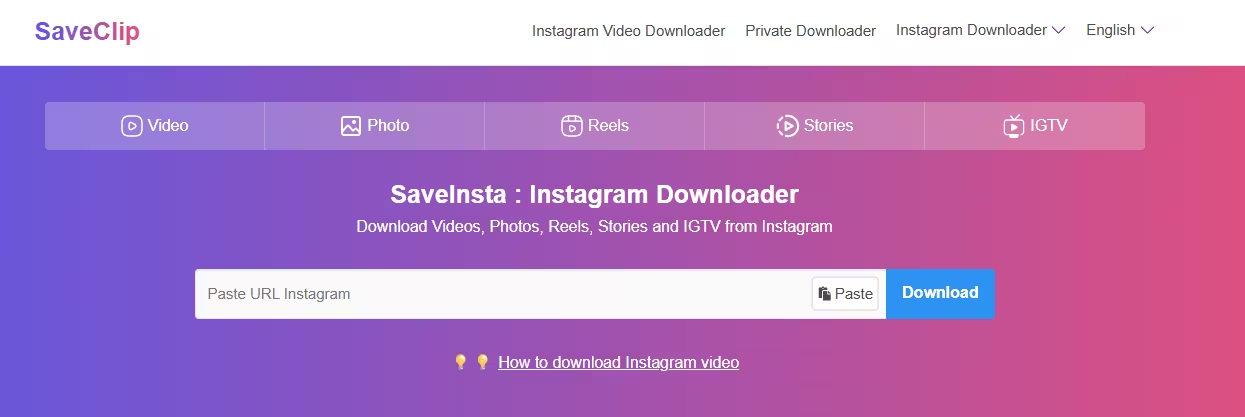
SaveInsta Pro is a reliable and widely used Instagram reels downloader that works smoothly across Android, iPhone, and PC. It is designed for users who want a simple, fast, and high-quality way to download Instagram reels without technical steps or account login.
Key Features
- Downloads Instagram reels in HD and original quality
- No watermark on downloaded videos
- Works on Android, iPhone, and desktop browsers
- No Instagram login required
- Supports reels, stories, IGTV, and posts
- Fast processing with minimal ads
Pros
- Beginner-friendly interface
- High-quality downloads without watermark
- Works across multiple devices
- Free version available
- Safe and anonymous usage
Cons
- Ads appear in the free version
- Advanced features require premium plan
- Limited customer support
2. ReelSaver – The Speed Demon
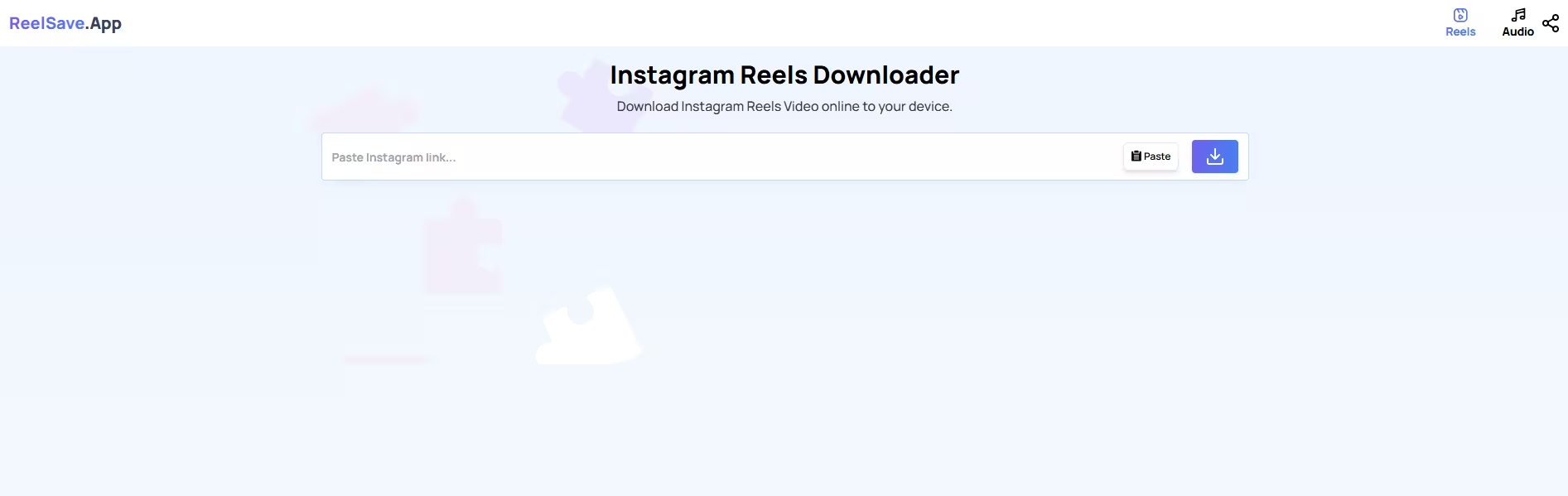
ReelSaver is a speed-focused Instagram reels downloader built for users who want instant downloads with minimal waiting time. It is ideal for frequent users who download multiple reels daily and prefer fast performance without sacrificing video quality.
Key Features
- Ultra-fast Instagram reels downloading
- Maintains original video and audio quality
- Clean and modern interface
- No app installation required for online use
- Supports quick sharing after download
- Organized reel storage system
Pros
- Extremely fast download speed
- Simple and distraction-free design
- Ideal for bulk reel downloads
- Works well for power users
- Consistent performance
Cons
- Free version has daily download limits
- Some features locked behind paid plan
- Requires more device storage
3. InstaGrab – The Privacy Guardian
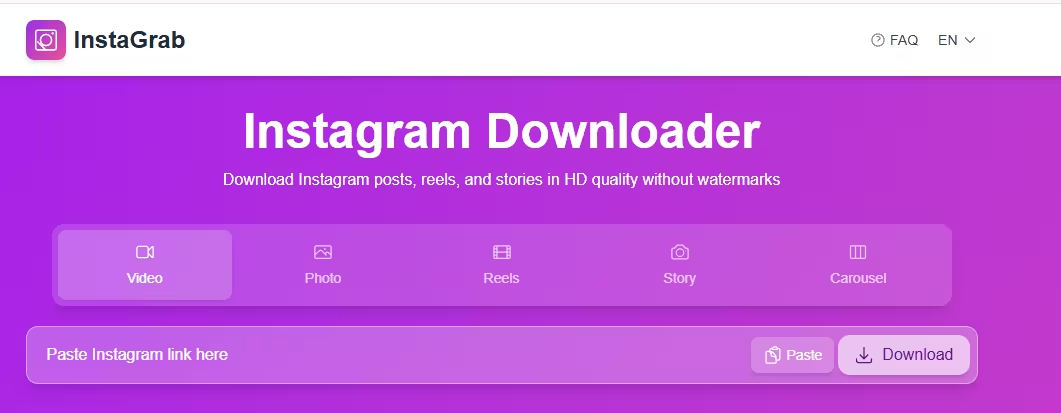
InstaGrab is a privacy-first Instagram reels downloader designed for users who value anonymity and security. It allows you to download Instagram reels without login, tracking, or data collection, making it a trusted option for privacy-conscious individuals.
Key Features
- No login or registration required
- Zero data collection policy
- Browser-based reels downloader
- Minimal permissions needed
- Works across devices
- Lightweight and secure design
Pros
- Strong focus on user privacy
- No ads or tracking
- Anonymous reel downloads
- Lightweight and secure
- Completely free to use
Cons
- Slower download speed compared to others
- Fewer advanced features
- Interface may feel basic for beginners
4. SnapInsta – Best Online Instagram Reels Downloader
SnapInsta is one of the most trusted and widely used Instagram reels downloader tools available online. It is designed for users who want to download Instagram reels instantly without installing apps or creating an account, making it ideal for quick and hassle-free reel downloads.

Key Features
- Online Instagram reels downloader with no login required
- Supports HD and original-quality reel downloads
- Works smoothly on Android, iPhone, Windows, and Mac
- Clean and easy-to-use browser interface
- Fast reel processing and download speed
- No watermark on downloaded reels
Pros
- Completely browser-based, no installation needed
- Works across all major devices and operating systems
- Simple copy-paste download process
- Safe and anonymous usage
- Free to use
Cons
- Requires active internet connection
- Limited advanced features
- Occasional ads on the website
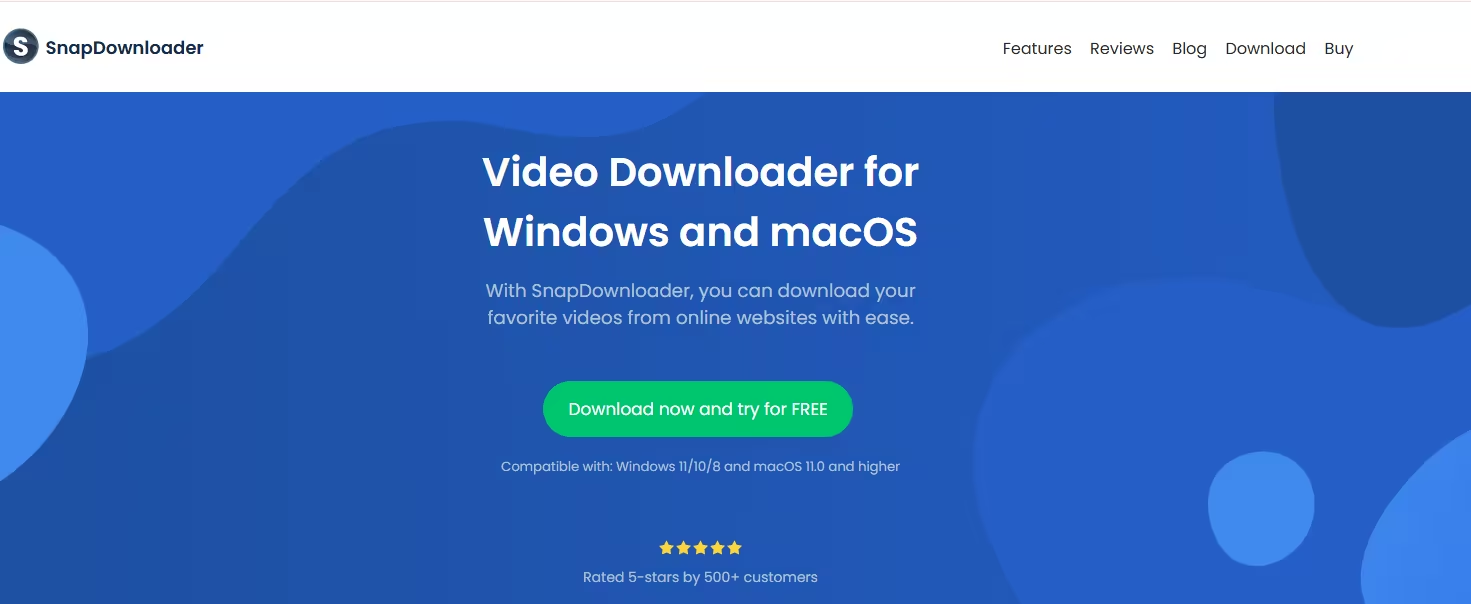
5. SnapDownloader – Best for Bulk Reels Download
SnapDownloader is a powerful desktop-based Instagram reels downloader built for users who download reels frequently. It is best suited for professionals, marketers, and creators who need high-speed downloads, bulk saving options, and advanced quality controls.
Key Features
- Desktop software for Windows and macOS
- Supports bulk downloading of Instagram reels
- High-speed downloads with quality selection
- Works with reels, videos, stories, and multiple platforms
- Built-in download queue management
- Reliable performance for large downloads
Pros
- Ideal for bulk and professional use
- Extremely fast and stable downloads
- Supports multiple platforms beyond Instagram
- High-quality output options
- Clean and powerful desktop interface
Cons
- Requires software installation
- Paid tool with limited free trial
- Not suitable for quick, one-time downloads
Best Instagram Reels Downloader by Device
The best Instagram reels downloader isn’t the same for everyone. The right choice depends heavily on the device you’re using—Android, iPhone, or desktop. Each platform has different limitations, permissions, and workflows, which directly affect how reels can be downloaded, stored, and accessed.
To help you choose confidently, this section breaks down the best Instagram reels downloader tools by device, explains why they work well on that platform, and highlights which type of user they are best suited for.
Best Instagram Reels Downloader for Android
Android offers the most flexibility when it comes to downloading Instagram reels. Users can choose between browser-based tools for quick downloads or dedicated Android apps for frequent use. This makes Android the easiest platform for saving reels in high quality.
Browser-Based Instagram Reels Downloaders (Quick & Lightweight)
Tools like SnapInsta and SaveInsta Pro work seamlessly in Android browsers such as Chrome. These online Instagram reels downloader tools are ideal for users who want fast results without installing additional apps. You simply paste the reel link, select the quality, and download the video within seconds.
Because they don’t require login or permissions, browser tools are safer and perfect for occasional downloads.
Dedicated Android Reels Downloader Apps (Frequent Use)
For users who download reels regularly, Android apps such as Barosave, AhaSave Video Downloader, and ETM Video Downloader for Instagram provide a smoother experience. These apps save reels directly to the phone’s gallery, reducing repeated steps and offering faster access.
They are especially useful for creators, marketers, or users who save multiple reels daily.
No-Watermark Download Options
Most Android Instagram reels downloader tools allow users to download reels without watermark. This is valuable for content inspiration, analysis, or clean offline viewing without visual distractions.
App vs Browser: Which Is Better on Android?
- Use browser tools for occasional, one-off downloads
- Use apps for frequent downloads and better file organization
Android users benefit from having both options available, making it the most versatile platform overall.
Best Instagram Reels Downloader for iPhone
iPhone users face stricter restrictions due to Apple’s App Store policies. As a result, online Instagram reels downloader tools are the most reliable and consistent option for iOS devices.
Safari-Compatible Online Reels Downloaders
Tools like SnapInsta, SaveInsta Pro, and SnapSave work smoothly on Safari and are optimized for iPhone workflows. These tools do not require installation, login, or special permissions, making them safe and easy to use.
They are ideal for users who want a simple copy-paste method to download Instagram reels.
Avoiding App Store Limitations
Many reel downloader apps are frequently removed from the App Store. Using browser-based tools eliminates this issue entirely and ensures long-term reliability.
Downloading and Managing Reels via the Files App
On iPhone, downloaded reels are saved to the Files app. From there, users can move videos to Photos, cloud storage, or editing apps. While this adds one extra step, it gives better control over file management.
iOS-Friendly and Secure Workflow
Online reels downloader tools for iPhone prioritize privacy, simplicity, and compatibility, making them suitable for both casual users and professionals.
Best Instagram Reels Downloader for PC & Mac
Desktop users benefit from the most powerful Instagram reels downloader options, especially when downloading reels in bulk or in high resolution.
Browser-Based Reels Downloader Tools
Web tools like SnapInsta, SaveInsta Pro, and SaveGram work reliably across Chrome, Edge, Firefox, and Safari. They are ideal for users who want quick downloads without installing software.
These tools are perfect for light usage and occasional reel downloads.
Desktop Software for Bulk and Professional Use
For advanced users, SnapDownloader is one of the best Instagram reels downloader tools available. It supports bulk downloads, multiple resolutions, and fast processing speeds. This makes it ideal for marketers, agencies, and content teams managing large volumes of reels.
HD and Bulk Download Capabilities
Desktop tools often support Full HD, 2K, and even 4K reel downloads. Bulk download features help users save time and maintain consistent quality across multiple files.
Which Device-Based Instagram Reels Downloader Should You Choose?
- Android users get the most flexibility with both apps and browser tools
- iPhone users should rely on Safari-compatible online downloaders
- PC & Mac users benefit most from desktop software for bulk and HD downloads
Choosing an Instagram reels downloader based on your device ensures better performance, fewer errors, higher quality downloads, and a smoother overall experience—whether you’re saving reels occasionally or managing content at scale.
How to Download Instagram Reels (Step-by-Step Guide)
Downloading Instagram reels is a simple process when you use a reliable Instagram reels downloader. Most tools follow the same workflow, whether you’re on Android, iPhone, or desktop. The steps below are easy to follow and require no technical skills, making them ideal for beginners and experienced users alike.
Step 1: Copy the Instagram Reel Link
Open the Instagram app or website and find the reel you want to download. Tap the three-dot menu on the reel and select Copy link. This link is what the Instagram reels downloader uses to fetch the video.
Step 2: Paste the Link Into the Reels Downloader
Open your chosen Instagram reels downloader tool in a browser or app. Paste the copied reel link into the input box provided. Most tools process the link instantly without requiring login or registration.
Step 3: Select the Video Quality
Many Instagram reels downloader tools allow you to choose the video quality before downloading. Select HD or original quality if available to ensure the best viewing experience.
Step 4: Click the Download Button
Once the tool processes the reel, click the Download button. The video will begin downloading immediately.
Step 5: Save the Reel to Your Device
The reel will be saved to your device’s gallery, downloads folder, or Files app, depending on your platform. You can now watch the reel offline or store it for later use.
Is It Safe to Use an Instagram Reels Downloader?
Using an Instagram reels downloader can be completely safe, but only if you choose the right tools. While many legitimate downloaders exist, there are also spammy websites designed to exploit users. Knowing what to avoid is key to staying safe.
Trusted Tools vs Spam Downloaders
Reputable Instagram reels downloader tools focus on simplicity, speed, and security. They do not ask for unnecessary permissions or personal information. Spam tools, on the other hand, often flood users with ads, redirects, or suspicious downloads.
Always choose well-known and widely used reels downloader tools with a clean interface and clear functionality.
Avoid Tools That Ask for Instagram Login
A safe Instagram reels downloader will never ask for your Instagram username or password. Tools that request login credentials are a major red flag and should be avoided immediately, as they may compromise your account.
Watch Out for Malware and Pop-Ups
Some unsafe downloaders use fake download buttons, pop-ups, or forced redirects. If a site opens multiple tabs, asks you to install unknown software, or triggers antivirus warnings, close it immediately.
Follow Safe Browsing Best Practices
To stay secure:
- Use browser-based tools with HTTPS encryption
- Avoid downloading extra software unless necessary
- Keep your browser and device updated
- Use ad blockers for cleaner browsing
When used responsibly, a trusted Instagram reels downloader is a safe and convenient way to download reels for offline viewing, inspiration, or reference—without risking your privacy or device security.
Key Features to Look for in the Best Instagram Reels Downloader
Not all Instagram reels downloader tools deliver the same experience. Some focus on speed, others on quality, while a few prioritize privacy and ease of use. Choosing the right tool depends on understanding the features that actually matter and how they impact your download experience.
Below are the most important features you should look for when selecting the best Instagram reels downloader.
No Watermark Downloads
One of the most important features in a good Instagram reels downloader is the ability to download reels without watermark. Watermarks can be distracting and reduce the usability of the video, especially for creators who want clean clips for inspiration or analysis.
Trusted reels downloader tools preserve the original video without adding branding or logos. This ensures a better viewing experience and allows users to reuse reels responsibly while respecting content ownership.
HD and Original Video Quality
Video quality matters, especially when downloading reels for offline viewing or professional reference. The best Instagram reels downloader tools support HD or original-quality downloads, ensuring the reel looks exactly as it does on Instagram.
Avoid tools that compress videos heavily, as this can lead to blurry visuals and distorted audio. High-quality output is a sign of a reliable and well-built downloader.
Fast Processing and Download Speed
A reliable Instagram reels downloader should process reel links quickly. Fast processing means you can paste a link, select the quality, and download the reel within seconds.
Slow tools often rely on unstable servers or overloaded systems. Faster download speeds improve usability and reduce frustration, especially when downloading multiple reels.
No Login or Account Required
Safety and privacy are essential. A trustworthy Instagram reels downloader does not require login, registration, or access to your Instagram account.
Tools that ask for your username or password should be avoided. No-login downloaders reduce security risks and allow anonymous, hassle-free downloads.
Cross-Device Compatibility
The best Instagram reels downloader tools work smoothly across Android, iPhone, PC, and Mac. Cross-device compatibility ensures you can download reels on any device without changing tools.
Browser-based downloaders are especially useful because they adapt easily to different operating systems and require no installation.
Free vs Paid Options: What Should You Choose?
Many Instagram reels downloader tools offer free versions with basic features. These are suitable for occasional users. Paid versions usually provide benefits like ad-free experience, bulk downloads, and faster speeds.
Choosing between free and paid options depends on how often you download reels and whether advanced features are important to you.
Conclusion
Finding the right Instagram reels downloader can make saving reels fast, safe, and hassle-free. Whether you want HD quality, no-watermark downloads, or cross-device compatibility, choosing a trusted tool ensures a smooth experience without risking your privacy. From quick browser-based options to powerful desktop solutions, the right downloader helps you save reels for inspiration, learning, or offline viewing with ease.
If you’re using Instagram reels for product research, trend spotting, or content inspiration, pairing downloaded insights with Spocket can take things further. Spocket helps you discover high-quality products, reliable suppliers, and winning trends—making it easier to turn inspiration into action. Explore smarter sourcing and build with confidence using Spocket.
Start your dropshipping business today
Instagram Reels Downloader FAQs
Can I download Instagram reels without watermark?
Yes, many trusted Instagram reels downloader tools allow you to download reels without watermark. These tools preserve the original video quality and do not add logos or branding, making them ideal for clean offline viewing and content reference.
Do Instagram reels downloader tools require login?
Most reliable Instagram reels downloader tools do not require login or registration. Avoid any tool that asks for your Instagram username or password, as no-login tools are safer and help protect your account privacy.
Are Instagram reels downloader apps safe?
Instagram reels downloader apps are safe when you use trusted, well-known tools. Avoid apps with excessive ads, forced redirects, or login requests, and always download apps from reputable sources or use browser-based downloaders.
Can I download private Instagram reels?
No, most Instagram reels downloader tools only support public reels. Downloading private Instagram reels without permission violates Instagram’s terms and privacy rules, and legitimate tools do not allow access to private content.
Are Instagram reels downloader tools free?
Many Instagram reels downloader tools offer free versions with basic features. Some also provide paid plans that remove ads, unlock HD or bulk downloads, and improve speed for frequent or professional users.
Is downloading IG reels legal?
Downloading Instagram reels for personal use is generally acceptable. However, reposting or using reels commercially without the creator’s permission may violate copyright laws. Always credit creators and follow Instagram’s content usage guidelines.
How can I download an Insta reel?
To download an Instagram reel, copy the reel link, paste it into a trusted Instagram reels downloader, select the video quality, and click download. The reel will save directly to your device.
How to remove IG watermark?
The easiest way to remove an IG watermark is to use an Instagram reels downloader that supports no-watermark downloads. These tools save the original reel without adding logos or branding to the video.


Launch your dropshipping business now!
Start free trial


Related blogs

Top WordPress eCommerce Themes for 2026
Explore the best WordPress eCommerce themes for 2026. Compare WooCommerce themes by speed, design, features, and dropshipping potential.


Saba Mohebpour Didn't Stop at Spocket: His New $50M Fund, ILA Capital, Is Buying Up Shopify and Amazon Apps
After building Spocket into a major ecommerce platform, Saba Mohebpour is launching ILA Capital with a $50M strategy to acquire Shopify and Amazon apps powering modern ecommerce.


Top Trendsi Alternatives for Fashion Dropshipping
Explore the best Trendsi alternatives for fashion dropshipping, fast shipping, branding, Shopify integration, and reliable suppliers.
