Best Website Builders in 2026: 10 Platforms Compared
Compare the best website builders in 2026: real prices, transaction fees and year-one costs, plus which builder fits stores, small businesses, blogs and designers.



The best website builders in 2026 are Shopify for online stores, Wix for most small business sites, Squarespace for design-led brands, WordPress (WordPress.com or self-hosted WooCommerce) for content and full control, and Webflow for designers who want pixel-level layouts. Which one is best for you depends less on feature lists and more on two questions: are you selling products, and how much will the platform cost you once you actually have sales?
This guide answers both. You'll get real 2026 prices pulled from each platform's pricing page, a first-year cost model that includes transaction fees (where most comparisons stop short), and a quick way to pick a builder based on what you're building. If you plan to dropship, there's also a section on which builders connect to supplier apps without workarounds.
Best website builders at a glance
Prices below are US list prices as shown on each official pricing page in October 2026. "Annual" means the monthly rate when you pay for a year up front. Promotional pricing changes often, so check the linked page before you commit.
| Builder | Best for | Entry paid plan | Cheapest plan that can sell online | Extra transaction fee on that plan |
|---|---|---|---|---|
| Shopify | Online stores, dropshipping | Basic: $39/mo ($29/mo annual) | Basic | None with Shopify Payments |
| Wix | Small business sites, services | Light: $17/mo (annual) | Core: $29/mo (annual) | None |
| Squarespace | Design-led brands, portfolios | Basic: $25/mo ($19/mo annual) | Basic | 2% on Basic, 0% on Core and up |
| WordPress.com | Blogs, content sites | Personal: $4/mo (annual, intro) | Business: $25/mo (annual, intro) with WooCommerce | None |
| WooCommerce | Full control on your own hosting | Free plugin + hosting | Free plugin + hosting | None |
| Webflow | Designers, custom marketing sites | Basic: $15/mo (annual) | Ecommerce Standard: $29/mo (annual) | 2% on Standard, 0% on Plus |
| BigCommerce | Growing catalogs, B2B | Core: $39/mo ($29/mo annual) | Core (up to $30K annual sales) | $0 via embedded payment providers |
| Hostinger | Cheapest simple site | Premium: from $2.49/mo on a 48-month term | Business: from $3.49/mo on a 48-month term | Check plan terms |
| Square Online | Restaurants, local retail | Free plan | Free plan | Card processing only |
| Weebly | Very small budget sites | Personal: $13/mo ($16 monthly) | Check plan details | Check plan details |
How to pick a website builder in 60 seconds
Skip the feature matrices for a moment and answer these in order. Most people can stop at question two.
- Will you sell physical products online in the next 12 months? If yes, start with Shopify, BigCommerce or WooCommerce. General builders can sell, but you'll outgrow their store tools faster than their design tools.
- Is the site mostly about booking, leads or a portfolio? Pick Wix (services, bookings) or Squarespace (visual work, consultants). Both are quick to set up and look good with little effort.
- Will content (articles, guides) be your main traffic source? WordPress wins here. Its editor, plugins and SEO tooling are built around publishing.
- Do you or your designer want full control over layout and animation? Webflow. Expect a steeper learning curve than any drag-and-drop builder.
- Is budget the only constraint? Hostinger's long-term plans or Square Online's free plan will get you live for the least money, with real trade-offs on flexibility.
The best website builders for 2026, reviewed
1. Shopify: best website builder for online stores
Shopify is a commerce platform first and a website builder second, and that's exactly why it's the default pick for anyone selling products. Checkout, taxes, shipping rates, discount codes, abandoned-cart emails and inventory are built in, and the app store covers nearly every gap.
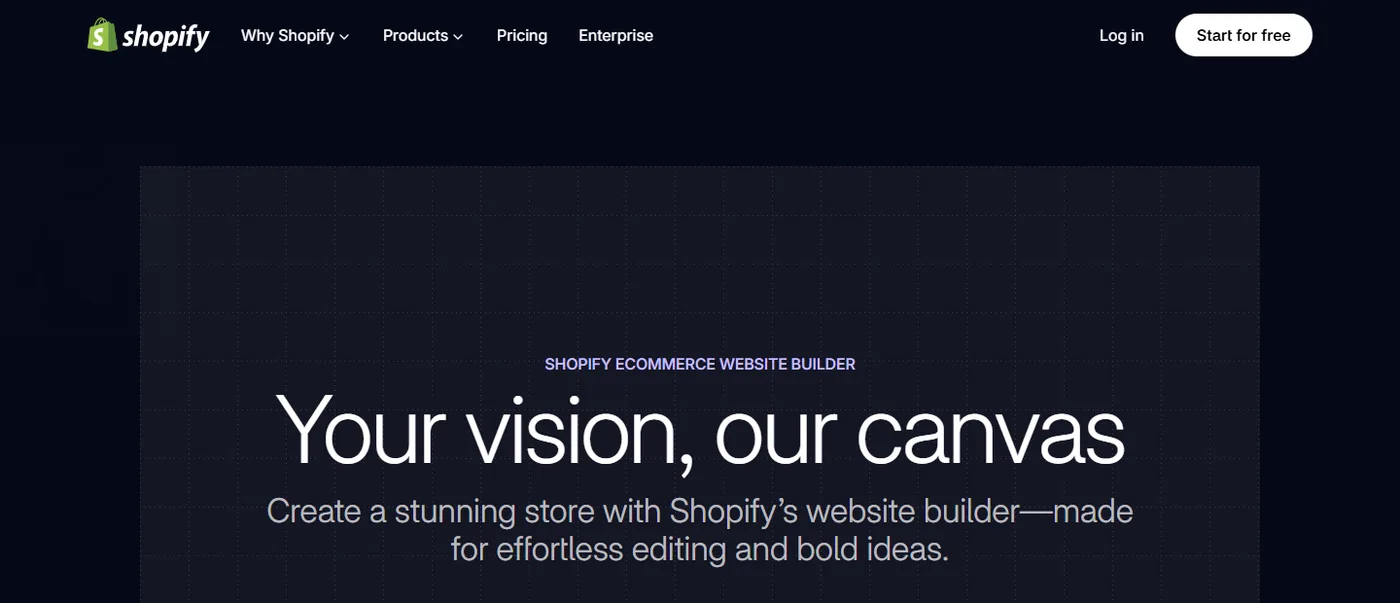
Pricing: Basic is $39/month or $29/month billed yearly, Grow is $105/month and Advanced is $399/month; Shopify Plus starts at $2,300/month. New stores currently get 3 days free, then $1/month for the first 3 months (see Shopify pricing). Card rates on Basic start at 2.9% + 30 cents.
AI tools: Shopify's free AI store builder generates store designs from a short description of your business, and Sidekick, the assistant inside the admin, can write product descriptions, build discounts and answer questions about your store data.
Watch out for: themes are easy to customize up to a point, then you need Liquid code or an app. Monthly app subscriptions are where Shopify bills creep; a store running five $10 apps is paying more for apps than for Shopify Basic.
Choose it if: you're launching a product store or dropshipping business and want the largest ecosystem of apps, themes and help content.
2. Wix: best all-round builder for small business sites
Wix is the most flexible drag-and-drop editor in this list. You can place elements anywhere on the page, add bookings, events, restaurant menus or a members area, and use its AI tools to generate a first draft of the site from a short chat.
Pricing: there's a free plan with Wix branding. Paid plans billed annually are Light at $17/month, Core at $29/month, Business at $39/month and Business Elite at $159/month (per Wix plans). To accept payments you need Core or higher. Wix offers a 14-day money-back guarantee on premium plans.
Watch out for: freedom of placement means it's easy to build a page that looks great on desktop and breaks on mobile. Check the mobile editor before you publish. Moving a Wix site to another platform later means rebuilding the design.
Choose it if: you run a service business, local shop or small catalog store and want everything in one dashboard.
3. Squarespace: best for design-led brands and portfolios
Squarespace templates are the most polished out of the box. The editor is more structured than Wix, which keeps pages tidy and mobile-friendly with almost no effort. It suits photographers, coaches, restaurants and small brands where presentation matters more than a large catalog.
Pricing: Basic is $25/month or $19/month annually, Core $39 ($29), Plus $65 ($49) and Advanced $139 ($99), according to Squarespace pricing. The fee detail that matters: Basic charges a 2% transaction fee on online store sales, while Core and above don't.
Watch out for: fewer integrations than Shopify or WordPress, and fewer ways to customize checkout.
Choose it if: the site has to look premium on day one and you'll sell a modest number of products or services.
4. WordPress.com and WooCommerce: best for content and full control
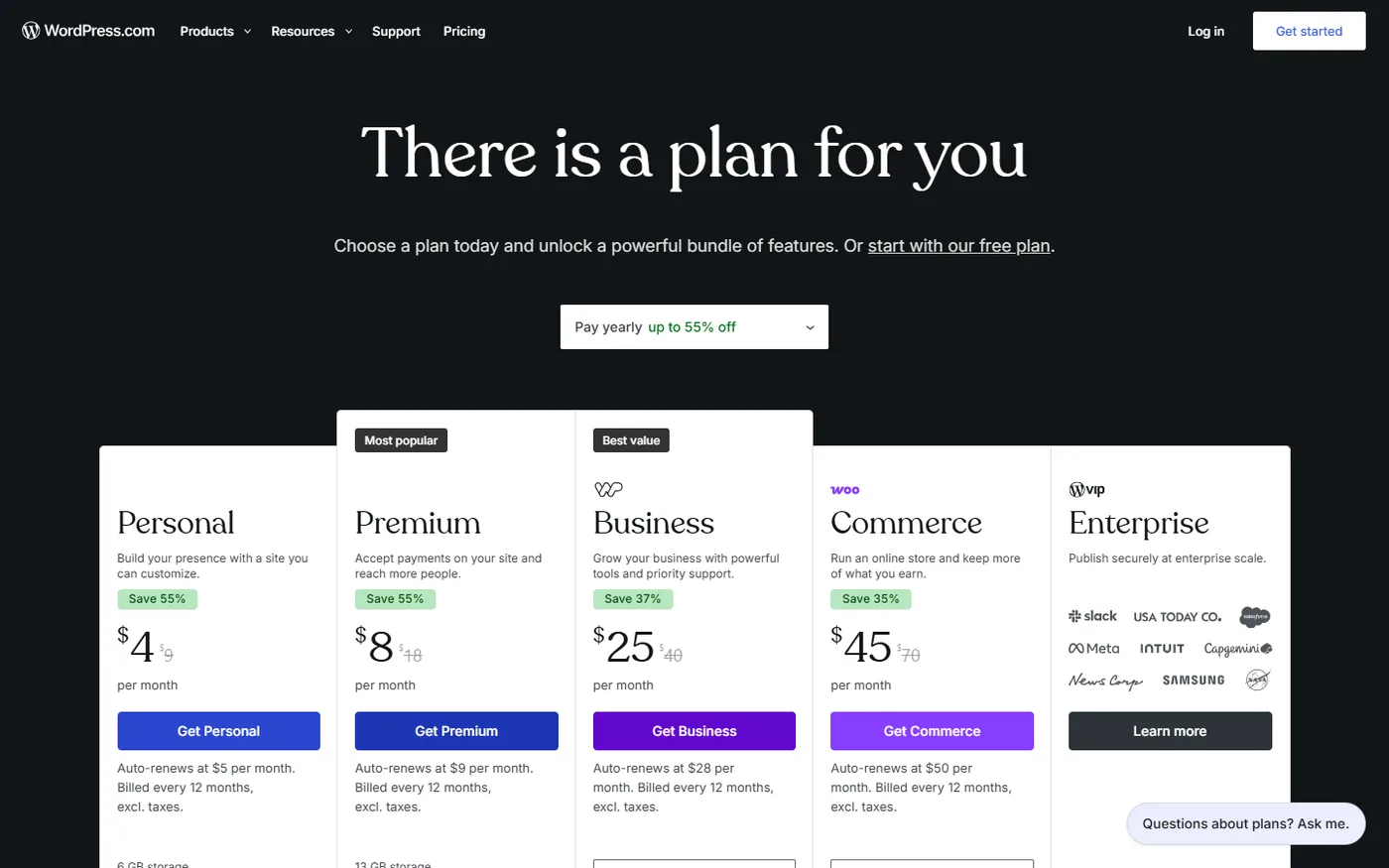
WordPress powers a huge share of the web for one reason: you can make it do almost anything. There are two ways in. WordPress.com is the hosted version, with plans from $4/month (Personal, billed yearly at introductory rates) to Business at $25/month, which adds plugins and WooCommerce, and Commerce at $45/month for store-focused extras. Renewal prices are higher than the first-year rates shown on WordPress.com pricing.
The other route is self-hosted WordPress with the free WooCommerce plugin. You pay for hosting instead; WooCommerce's own pricing page puts hosting at $25 to $350 a month for most stores, plus any paid extensions.
Watch out for: you (or a developer) own updates, backups, security and plugin conflicts. That's the price of control.
Choose it if: blogging and SEO content will drive your traffic, or you want to own every file on your site.
5. Webflow: best for designers and custom marketing sites
Webflow gives you visual control close to hand-written HTML and CSS, plus a strong CMS. Agencies and in-house design teams use it for marketing sites with custom layouts and interactions.
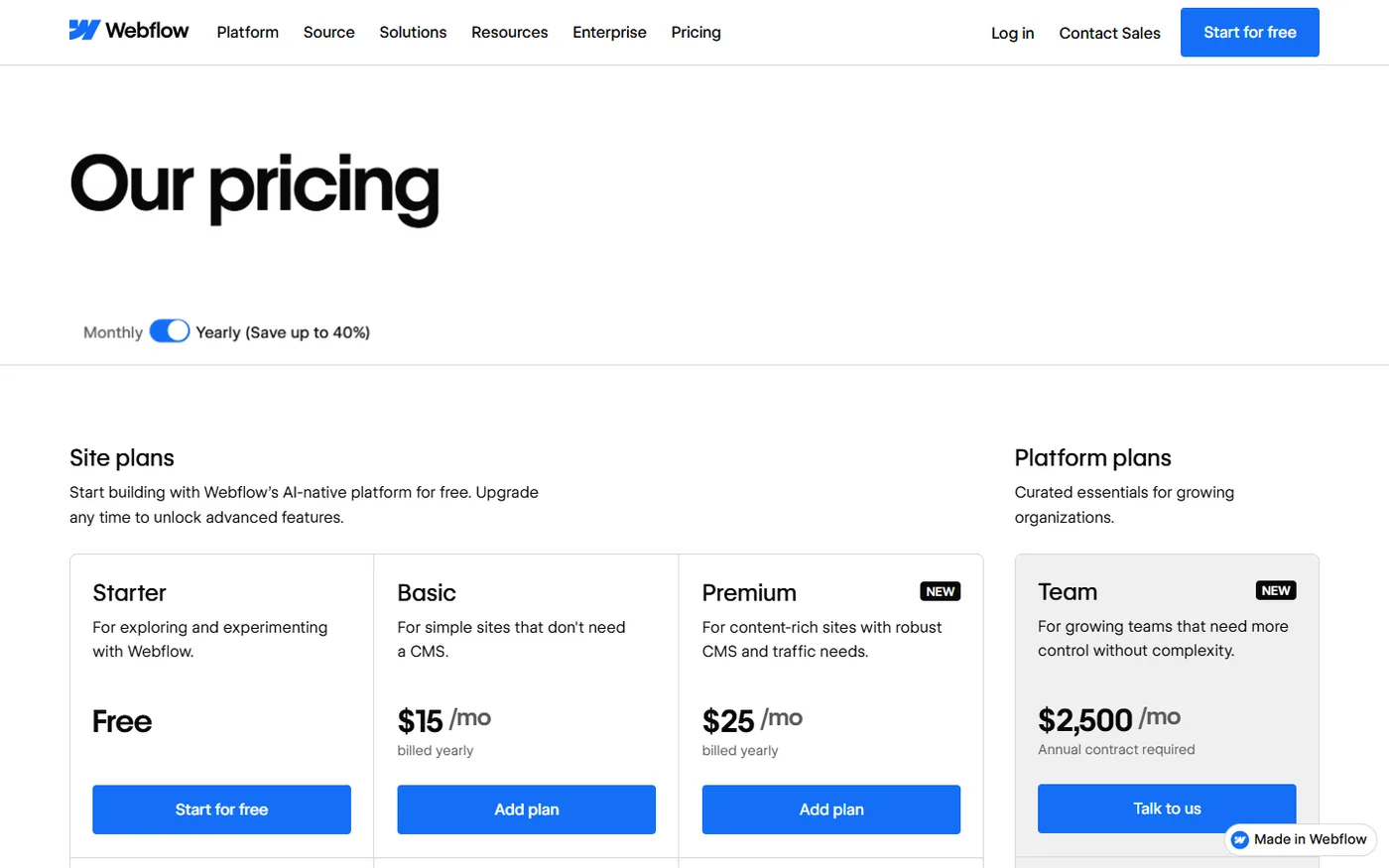
Pricing: the Starter plan is free on a webflow.io address. Site plans start at $15/month billed yearly (Basic). Ecommerce plans are separate: Standard is $29/month billed yearly with a 2% transaction fee and a 500-item limit, and Plus is $74/month with no transaction fee and up to 5,000 items (Webflow pricing).
Watch out for: it's the hardest builder here to learn, and its store features are thinner than Shopify's.
Choose it if: design is the product, or a designer will hand the site over to you.
6. BigCommerce: best for larger catalogs and B2B
BigCommerce includes more native store features than Shopify (product options, B2B pricing, multi-storefront) and doesn't charge an extra fee when you use one of its embedded payment providers. Plans are Core at $39/month ($29 annual), Growth at $105/month ($79 annual) and Scale at $399/month ($299 annual), per BigCommerce's pricing page.
Watch out for: each plan has a trailing 12-month sales cap. Core covers up to $30K in annual sales and Growth up to $100K; pass the cap and you move up a plan.
7. Hostinger: best budget website builder
Hostinger's AI website builder is the cheapest way here to get a real site on a custom domain: plans start at $2.49/month (the Business tier with ecommerce is $3.49), but only when you prepay a 48-month term, and the regular price is several times higher. It's fine for a portfolio, a landing page or a simple brochure site.
8. Square Online: best for restaurants and local retail
If you already take payments with Square in person, Square Online syncs your item library and lets you add pickup, delivery and online ordering on a free plan. Paid plans (Plus is $49/month per location) add more advanced features. It's not built for dropshipping or large online-only catalogs.
9. Weebly: a simple option if you're already on Square
Weebly is now part of Square and hasn't changed much in years. Personal is $13/month billed annually, Professional $15 and Performance $32 (per Weebly's pricing page). It works, but most new sites are better served by Wix or Square Online.
What a website builder really costs in year one
Monthly plan prices hide the number that matters once you're selling: plan cost plus platform transaction fees. Here's a worked example for a small store doing $36,000 in sales over its first year (900 orders at a $40 average). Card processing (around 2.9% + 30 cents on most platforms) is left out because it's similar everywhere; this table only shows what each platform adds on top.
| Platform and plan | Plan cost (12 months) | Platform transaction fee | Year-one total |
|---|---|---|---|
| Shopify Basic (annual, Shopify Payments) | $348 | $0 | $348 |
| Squarespace Basic (annual) | $228 | 2% of $36,000 = $720 | $948 |
| Squarespace Core (annual) | $348 | $0 | $348 |
| Webflow Ecommerce Standard (annual) | $348 | 2% of $36,000 = $720 | $1,068 |
| Webflow Ecommerce Plus (annual) | $888 | $0 | $888 |
| BigCommerce Growth (annual; Core caps at $30K) | $948 | $0 | $948 |
| Wix Core (annual) | $348 | $0 | $348 |
Two takeaways. First, the "cheap" plan is often the expensive one: Squarespace Core beats Basic as soon as you sell more than $6,000 a year ($120 price difference divided by the 2% fee), and Webflow Plus beats Standard above $27,000 a year. Second, sales caps matter. This $36K store has already outgrown BigCommerce Core, so its real plan is Growth. Run the same math with your own sales forecast before you choose.
Don't forget the costs that sit outside the plan: a domain after the free first year, paid themes (often $150 to $400 one-off), and apps or plugins. Those can easily match the plan price.
Best website builder by use case
- Dropshipping or product store: Shopify, then WooCommerce if you want to self-host.
- Small business with bookings or services: Wix.
- Portfolio, photographer, creative studio: Squarespace or Webflow.
- Blog or content site: WordPress.
- Local restaurant or shop that already uses Square: Square Online.
- Tightest possible budget: Hostinger on a long term, or a free plan while you validate the idea.
Best website builders for dropshipping
If you plan to dropship, your website builder needs to connect to a supplier app that imports products and passes orders to the supplier automatically. Otherwise you'll copy every order by hand. Spocket connects to several of the builders above:
- Spocket for Shopify
- Spocket for Wix
- Spocket for Squarespace
- Spocket for WooCommerce
- Spocket for BigCommerce
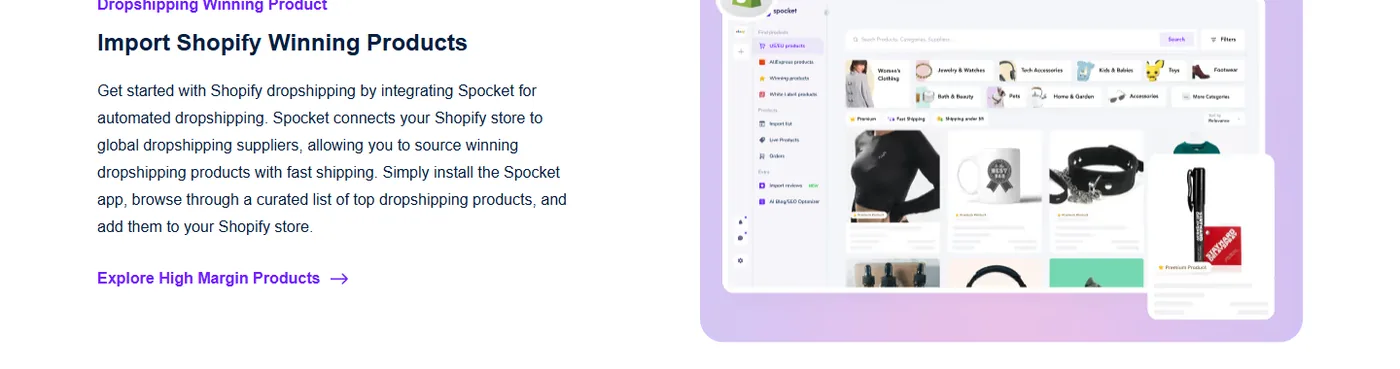
Spocket focuses on vetted suppliers in the US and EU, with typical delivery of 2 to 7 days, so a new store isn't stuck explaining month-long shipping. Plans start at $39.99/month with a 7-day trial, and more than 500,000 sellers have used it. You can try Spocket with your builder before you commit to a plan on either side.
New to the model? Our step-by-step guide on how to start a Shopify dropshipping store walks through setup from domain to first order.
Are AI website builders good enough yet?
Almost every builder on this list now generates a first draft with AI: Wix and WordPress.com from a chat, Shopify from a one-line description, Hostinger and Squarespace from a short questionnaire. In practice these drafts save you the blank-page hour, not the whole build. You still need to replace placeholder copy, real product photos, policies and pricing, and AI layouts tend to look alike. Treat the output as a wireframe you edit.
If you're weighing an AI-generated store specifically, our explainer on AI store builders covers what they build, what they skip and how to check the result.
Mistakes people make when choosing a website builder
- Picking on the monthly price alone. As the table above shows, transaction fees and sales caps can triple the real cost.
- Ignoring the exit. Wix and Squarespace designs don't export to other platforms. Shopify and WooCommerce let you export products and customers as CSV, which makes a later move far easier.
- Choosing a general builder for a store that will grow. Rebuilding on a commerce platform after 200 products and a year of SEO is painful. If selling is the plan, start where selling is the core.
- Not testing on a phone. Most store traffic is mobile. Preview every page on an actual phone before launch.
- Paying for annual plans before validating the idea. Use monthly billing or the trial until you've had real visitors, then switch to annual for the discount.
Website builder vs CMS: which do you need?
A website builder (Wix, Squarespace, Shopify) bundles hosting, security, updates and design tools into one subscription. A CMS such as self-hosted WordPress is software you install on hosting you manage. The builder is faster and lower-maintenance; the CMS is more flexible and portable. For most first sites and stores, a hosted builder is the right call. Move to a self-hosted CMS when you hit a limit you can name, not before.
The short answer
If you're selling products, choose Shopify. If you're building a site for a service business, choose Wix. If looks come first, choose Squarespace. If content is your growth plan, choose WordPress. Then run the year-one cost math with your own numbers, and if you're dropshipping, connect a supplier app on day one. Start your 7-day Spocket trial and fill your new store with products from US and EU suppliers.
Start your dropshipping business today
Website Builder FAQs
What is the best website builder in 2026?
For online stores, Shopify is the best website builder in 2026 because checkout, payments, shipping and a large app store are built in. For small business and service sites, Wix is the most flexible all-rounder. Squarespace suits design-led brands, WordPress suits content sites, and Webflow suits designers who want full layout control.
What is the easiest website builder for beginners?
Squarespace and Wix are the easiest for beginners. Squarespace's structured editor keeps pages tidy on mobile with little effort, while Wix lets you drag elements anywhere and generate a first draft with AI. Shopify is the easiest place to start if you plan to sell products, since the store setup is guided step by step.
Which website builder is cheapest?
Hostinger is the cheapest paid option at $2.49 a month, but only on a 48-month prepaid term. Square Online and Wix have free plans, and WordPress.com starts at $4 a month on an annual plan. For stores, compare plan price plus transaction fees, because a cheap plan with a 2% fee can cost more than a pricier plan without one.
Is Shopify better than Wix?
Shopify is better for stores that will grow: it has deeper inventory, checkout, shipping and app support, and more dropshipping integrations. Wix is better for service businesses, bookings and sites where products are a side line. Both work for a small catalog, so the deciding factor is whether selling is your main goal.
Can I build a website for free?
Yes. Wix, Square Online and Webflow all have free plans, and self-hosted WordPress software is free. Free plans usually show the builder's branding, use a subdomain instead of your own domain and limit selling features. They're good for testing an idea, but most businesses upgrade before spending money on traffic.
Which website builder is best for SEO?
WordPress gives you the most SEO control through plugins, custom URLs and fast publishing. Shopify, Wix, Squarespace and Webflow all handle the basics well, including editable titles, meta descriptions, sitemaps and mobile-friendly pages. Rankings depend far more on your content and links than on the builder, so pick the platform that makes publishing easy for you.
Which website builder is best for dropshipping?
Shopify is the most common choice for dropshipping because almost every supplier app supports it, including Spocket. WooCommerce, Wix, Squarespace and BigCommerce also connect to Spocket, so you can import products and send orders to suppliers automatically. Avoid builders without a supplier integration, or you'll forward every order by hand.
Can I switch website builders later?
You can, but it's rarely a clean move. Products, customers and orders can usually be exported as CSV files, while designs and page layouts generally can't move between platforms and must be rebuilt. Set up 301 redirects from old URLs to new ones so you keep your search rankings after the switch.


Launch your dropshipping business now!
Start free trial


Related blogs

Minea Review: Is It Worth It for Dropshipping Product Research?
Read this Minea review to explore its features, pros, cons, pricing value, and whether it is the right product research tool for dropshipping sellers.


Top AI Tools for Small Businesses in 2026
Learn about the top AI tools for small businesses in 2026 for content, finance, agents, and automation. Pick the best AI tools for small businesses that match your workflows and budget, from free and paid.


Which are the Best Print on Demand AI Tools in 2026?
Find out which are the Print on demand AI tools in 2026. Save time, boost ROI, and improve product quality. Compare features, pricing, and real workflows for POD stores.