


Best WordPress Page Builders to Build Faster, Better, and High-Converting Websites
Discover the best WordPress page builders for ecommerce, blogs, and business sites. Compare features, ease of use, flexibility, and speed.

.avif)

Building a professional website used to require coding skills, design expertise, and a lot of time. Today, WordPress page builders have completely changed that.
With the right page builder, you can create visually stunning, conversion-focused websites without writing a single line of code. Whether you're launching an ecommerce store, a blog, or a service-based website, page builders make it easier to design, customize, and scale your site.
But here’s the catch—there are dozens of page builders available, and not all of them are worth your time.
Some are beginner-friendly but limited. Others are powerful but complex. Some prioritize speed, while others focus on design flexibility or marketing features. In this guide, we’ll break down the best WordPress page builders, what makes each one stand out, and how to choose the right one based on your goals.
What Is a WordPress Page Builder?
A WordPress page builder is a tool that allows you to design and customize pages using a visual interface instead of coding. Instead of editing raw HTML or CSS, you can:
- Drag and drop elements
- Customize layouts visually
- Use prebuilt templates
- Adjust spacing, colors, and typography
This makes website building faster, more accessible, and far more flexible.
For ecommerce users, especially those integrating dropshipping tools, page builders are essential for creating landing pages, product showcases, and conversion-focused layouts without relying on developers.
Why Choosing the Right Page Builder Matters
Choosing the right page builder goes beyond design—it directly impacts how efficiently you can build, customize, and scale your website. A good builder helps you create pages faster, maintain consistent performance, and optimize layouts for conversions without unnecessary complexity.
On the other hand, the wrong choice can slow down your workflow, limit flexibility, and affect both user experience and overall site performance.
- Affects Page Speed: Some builders generate cleaner code and load faster, while others can slow down your site if overloaded with elements. Page speed impacts both user experience and SEO.
- Impacts Conversion Rates: A good page builder helps you create better layouts, stronger CTAs, and optimized landing pages. This can directly influence how many visitors turn into customers.
- Determines Ease of Scaling: As your website grows, you’ll need to update pages, create campaigns, and launch new sections quickly. The right builder makes scaling easier.
- Influences Design Flexibility: Some builders restrict customization, while others give you complete control over layouts and styling.
Choosing wisely at the beginning saves time and effort later.
Core Features to Look for in the Best WordPress Page Builders
When choosing a WordPress page builder, focusing on the right features can save you time, improve performance, and make your website easier to manage as it grows. The best builders are not just about drag-and-drop design—they offer a balance of ease of use, flexibility, speed, and compatibility with other tools. Understanding these core features helps you select a builder that supports both your current needs and future scalability. If evaluating these factors feels overwhelming, partnering with a WordPress design and development agency can give you the insights needed to make the right decision.
Ease of Use
A WordPress page builder should feel simple and intuitive from the moment you start using it. If the interface is cluttered or confusing, even small edits can take more time than they should. An easy-to-use builder helps you work faster, reduces frustration, and makes it much easier for beginners to create professional-looking pages without a steep learning curve.
Design Flexibility
Design flexibility is what allows you to move beyond basic templates and create pages that actually fit your brand. A strong page builder should let you adjust layouts, spacing, typography, colors, and mobile responsiveness with ease. This level of control is important if you want your site to look polished, unique, and tailored to your specific goals.
Template Library
A good template library can speed up the entire website-building process. Instead of starting from a blank page, you can choose a professionally designed layout and customize it to match your brand. High-quality templates are especially useful for landing pages, homepages, product pages, and promotional campaigns where speed and consistency matter.
Performance Optimization
Performance should never be overlooked when choosing a page builder. Some builders add extra code or heavy design elements that can slow down your website, which affects both user experience and search visibility. A well-optimized builder helps your site load faster, run more smoothly, and maintain strong performance even as your content grows.
Integration Compatibility
A page builder should work seamlessly with the other tools you rely on to run your website. Whether you use WooCommerce for ecommerce, SEO plugins for optimization, marketing tools for lead generation, or email platforms for automation, compatibility is essential. Strong integration support ensures your website remains flexible, functional, and easier to scale over time.
7 Best WordPress Page Builders You Should Consider
Choosing the right WordPress page builder can significantly impact how efficiently you design, manage, and scale your website. With so many options available, each offering different strengths, it’s important to understand what sets them apart. Below are some of the best WordPress page builders you should consider, based on ease of use, flexibility, performance, and overall value for different types of users.
Let’s explore the top options and what they offer.
1. SeedProd – Best for Beginners and Landing Pages

SeedProd is one of the most beginner-friendly page builders available. It focuses on simplicity, speed, and conversion-focused design.
Why It Stands Out
- Clean drag-and-drop interface
- Lightweight and fast performance
- Prebuilt landing page templates
- WooCommerce integration
SeedProd is ideal for users who want to build pages quickly without dealing with complexity.
When to Use It: If you’re creating landing pages, promotional campaigns, or simple websites, SeedProd offers one of the easiest experiences.
2. Elementor – Best All-Round Page Builder
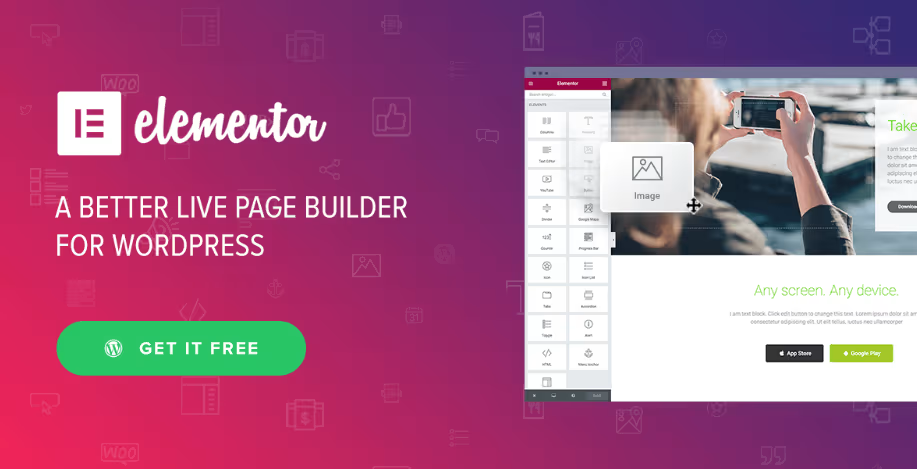
Elementor is one of the most widely used WordPress page builders. It offers a balance of flexibility, ease of use, and a large ecosystem.
Key Strengths
- Extensive template library
- Visual drag-and-drop editor
- Responsive design controls
- Large community and plugin ecosystem
Considerations: While Elementor is powerful, using too many widgets can affect performance. Proper optimization is important.
When to Use It: Elementor is a great choice for users who want flexibility and scalability.
3. Beaver Builder – Best for Simplicity and Stability
Beaver Builder is known for its clean interface and reliability. It focuses on delivering a smooth editing experience without unnecessary complexity.
Key Strengths
- Beginner-friendly interface
- Stable performance
- Front-end editing
- Clean code output
When to Use It: Beaver Builder is ideal for agencies, freelancers, and users who value simplicity and consistency.
4. Divi – Best for Design Control and All-in-One Features

Divi combines a theme and page builder into a single ecosystem. It offers extensive design capabilities and built-in features.
Key Strengths
- Advanced visual editing
- Large template library
- Built-in design tools
- AI-powered features
Considerations: Divi has a steeper learning curve compared to simpler builders.
When to Use It: Divi is best for users who want full design control and are comfortable learning a more advanced system.
5. Breakdance – Best Modern Page Builder

Breakdance is a newer builder that focuses on flexibility and performance. It includes many built-in tools that reduce the need for additional plugins.
Key Strengths
- Modern interface
- Built-in features (forms, popups, menus)
- Strong WooCommerce compatibility
- Flexible design options
When to Use It: Breakdance is ideal for users who want a modern builder with fewer dependencies.
6. Thrive Architect – Best for Marketing and Conversions

Thrive Architect is built specifically for marketers. It focuses on creating high-converting landing pages and funnels.
Key Strengths
- Conversion-focused elements
- Prebuilt landing page templates
- CTA and lead generation tools
- Integration with marketing platforms
When to Use It: If your goal is lead generation or sales funnels, Thrive Architect is a strong choice.
7. WPBakery – Best for Legacy Websites

WPBakery is still used in many existing WordPress themes. However, it is less modern compared to newer builders.
Key Strengths
- Wide theme compatibility
- Familiar interface for long-time users
Considerations: It lacks the modern features and flexibility of newer builders.
Which WordPress Page Builder Is Best for Beginners?
For beginners, simplicity is key. The best options include:
- SeedProd for ease of use
- Beaver Builder for stability
- Elementor for flexibility
These builders provide a smooth learning experience without overwhelming users.
Which Page Builder Is Best for Ecommerce?
For ecommerce websites, your page builder should support:
- Product page customization
- Landing page creation
- Fast performance
Elementor, SeedProd, and Breakdance are strong choices for ecommerce users. When combined with Spocket, these builders help you create better product pages, highlight suppliers, and improve conversions.
Common Mistakes to Avoid When Choosing a Page Builder
Choosing a WordPress page builder may seem straightforward, but small missteps can lead to long-term limitations, slower performance, or unnecessary complexity. Many users focus on features without considering how the tool fits their workflow, goals, or scalability needs. Avoiding these common mistakes will help you choose a builder that supports both your current setup and future growth.
Choosing Based Only on Popularity
A widely used page builder may look like the safest choice, but it doesn’t guarantee it will suit your specific needs. Different builders cater to different users—some are better for beginners, while others are built for advanced customization. It’s important to choose based on your goals rather than just market popularity.
Ignoring Performance
Some page builders can add extra code or heavy elements that slow down your website if not managed properly. Poor performance affects user experience, SEO rankings, and conversion rates. Always consider how lightweight and optimized the builder is before making a decision.
Overcomplicating Your Setup
Choosing a builder with too many features can make your workflow more confusing than efficient. While advanced tools may seem appealing, they can slow you down if you don’t need them. A simpler, more focused builder often leads to faster and more productive page creation.
Not Considering Scalability
Your website will grow over time, and your page builder should be able to support that growth. A tool that works for a small site may not handle complex layouts, integrations, or higher traffic later on. Choosing a scalable builder ensures you won’t need to switch tools as your business expands.
How Page Builders Impact SEO and Performance
Your page builder affects:
- Page load speed
- Mobile responsiveness
- Content structure
- User experience
All of these factors influence SEO rankings. A well-optimized builder helps your site perform better in search results.
Spocket strengthens your WordPress store by helping you source high-quality products, offer faster shipping, and create a more reliable shopping experience. When paired with the right page builder, it helps you build a store that looks professional and converts more effectively.
Conclusion
Choosing the right WordPress page builder can significantly impact your website’s success. The best builder is not the one with the most features—it’s the one that fits your workflow, goals, and level of experience.
Whether you prioritize simplicity, flexibility, or marketing capabilities, there’s a builder that matches your needs. Page builders have made website creation more accessible than ever.
By choosing the right tool and using it effectively, you can build faster, design better, and create pages that drive real results. Combine that with strong product sourcing through Spocket, and you’ll have everything you need to build a high-performing ecommerce website.
Start your dropshipping business today
FAQs About WordPress Page Builders
What is the best WordPress page builder for beginners?
For beginners, tools like SeedProd, Elementor, and Beaver Builder are great starting points because they offer intuitive drag-and-drop interfaces. They reduce the need for technical knowledge and make it easy to design pages visually. Each provides templates and guided workflows, helping new users build professional websites faster.
Are WordPress page builders good for SEO?
Yes, WordPress page builders can be SEO-friendly when used correctly. They help create structured layouts, improve mobile responsiveness, and enhance user experience—all of which are important ranking factors. However, it’s important to optimize images, avoid heavy elements, and use SEO plugins alongside your builder.
Do page builders slow down websites?
Some page builders can impact performance if they add excessive code or too many design elements. This can lead to slower page load times and affect user experience. Choosing a lightweight builder and optimizing your pages properly helps maintain speed and performance.
Can I use page builders with WooCommerce?
Yes, most modern WordPress page builders integrate seamlessly with WooCommerce. They allow you to customize product pages, category layouts, and even checkout experiences. This makes it easier to create visually appealing and conversion-focused ecommerce stores.
Which page builder is best for ecommerce?
Elementor, SeedProd, and Breakdance are among the best options for ecommerce websites. They offer flexibility, WooCommerce compatibility, and tools to create high-converting product and landing pages. The right choice depends on whether you prioritize simplicity, design control, or built-in features.


Launch your dropshipping business now!
Start free trial


Related blogs

Minea Review: Is It Worth It for Dropshipping Product Research?
Read this Minea review to explore its features, pros, cons, pricing value, and whether it is the right product research tool for dropshipping sellers.


Top AI Tools for Small Businesses in 2026
Learn about the top AI tools for small businesses in 2026 for content, finance, agents, and automation. Pick the best AI tools for small businesses that match your workflows and budget, from free and paid.


Which are the Best Print on Demand AI Tools in 2026?
Find out which are the Print on demand AI tools in 2026. Save time, boost ROI, and improve product quality. Compare features, pricing, and real workflows for POD stores.
