


Post-Purchase Email Flows for Dropshipping: Reduce Chargebacks and Build Loyalty
Learn how to set up post-purchase email flows for dropshipping stores. Reduce chargebacks, increase sales, and build customer loyalty.
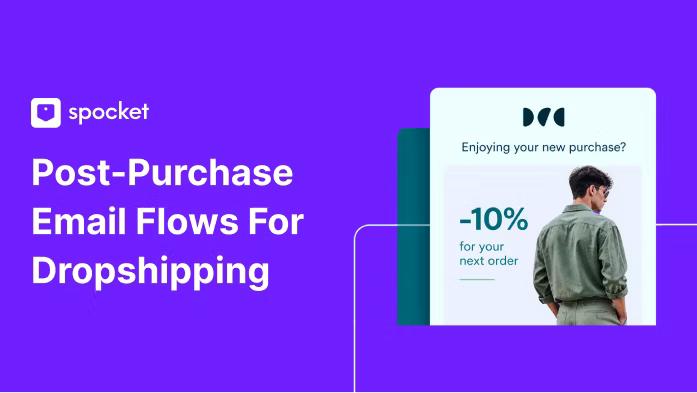

When you run a dropshipping store, the weeks between checkout and doorstep delivery are the riskiest part of the relationship. Silence triggers refund requests, chargebacks, and payment holds. Post-purchase email flows solve this by giving customers exactly what they need at each stage: confirmation that the order was received, proof it is moving, a delivery heads-up, and a simple way to reach you if something goes wrong.
If you are new to designing post-purchase email flows and want to get that set up for your dropshipping store, then this guide is for you!
What Are Post-Purchase Email Flows?
A post-purchase email flow is a sequence of automated messages a customer receives after completing an order. In standard e‑commerce, these emails confirm the transaction, share tracking, and follow up after delivery. For dropshipping, the flow carries extra weight. Longer shipping times, unfamiliar brand names, and supplier uncertainty make buyers anxious. A clear, consistent email sequence replaces that anxiety with confidence.
Post-purchase email flows also open the door to thank‑you notes, product tips, review requests, and win‑back offers that turn a one‑time buyer into a repeat customer. You can set them up once and let the automation work across every order.
10 Types of Post‑Purchase Email Flows in 2026
.webp)
Each type below solves a specific problem. You will see what most stores send, what they miss, and how a thoughtful sequence changes the outcome.
1. Order Confirmation Email (Immediate)
This is the first message a customer sees after payment. Many dropshippers let the default Shopify "order confirmed" template handle it. That is a missed opportunity. A branded order confirmation email that you control does more than list items. It reinforces your brand, sets delivery expectations, and points customers to helpful resources.
Before: A plain Shopify notification with a transaction ID and a generic "thank you for your purchase." The customer wonders who is actually behind the store.
After: A clean email with your logo, product image, order summary, estimated delivery window, and a link to your support contact. You also include a note that the order is being processed with your supplier, building transparency. If you work with suppliers that have no minimum order quantities, mention that orders are prepared individually—this signals you are not just drop‑shipping from a faceless warehouse.
2. Shipping Update Email (When Tracking Shows Movement)
The moment tracking updates, send an email with the carrier name, tracking number, and a direct tracking link. This single email prevents dozens of "where is my order?" tickets. Customers who can watch their package move relax.
Before: A tracking number buried in their account page or a generic "shipped" notification from a shipping app that lands in spam.
After: A short email in your brand style: "Your order is on the way. Track it here." Include the order details again so they recognize it. If you notice the package moving slower than usual, you can add a reassurance line like "Delivery sometimes takes 10 to 14 days. We monitor your order and will keep you updated."
3. Delivery Confirmation Email (24 Hours After Carrier Delivery)
The order arrived. Now you close the loop. This email confirms delivery, asks if everything looks good, and offers a clear path to support if something is wrong. Most dropshippers skip this step. That is a mistake because customers with an issue who cannot easily reach you will contact their bank instead.
Before: Radio silence after delivery. A frustrated customer opens a PayPal dispute.
After: "Your package was delivered today. Is everything as expected?" If yes, invite them to leave a review. If no, give them a one‑click support link. This catches problems early and resolves them before they become chargebacks. It also plants the seed for future engagement.
4. Proactive Delay Notification (Triggered When Tracking Stalls 3+ Days)
Delays happen. Chinese holidays, customs checks, or carrier backlogs can freeze a shipment. The worst thing you can do is wait for the customer to complain. Set an automation that triggers when tracking status does not change for three days.
Before: The customer opens a dispute after two weeks of no updates, convinced they were scammed.
After: An honest email: "Your order is taking longer than expected. Here is the updated estimate and what we are doing about it." Offer a direct way to reach support. Customers who receive a proactive notice often rate their experience higher than those who had no delay at all—because you showed you were paying attention.
5. Thank‑You Email (Day 3‑5 Post‑Delivery)
Not the order receipt. A standalone thank‑you note. This email humanizes your brand. You can share a short story about how the product came to be, what your store stands for, or how the purchase supports a particular mission. Keep it short and personal.
Before: The customer only hears from you when you want something—a review, another sale.
After: "We just wanted to say thanks. Your support means a small team like ours can keep doing what we love." You can include a discount code for their next order as a genuine gift, not a sales pitch. This builds emotional connection without asking for anything in return.
6. Product Education Email (Day 5‑7 After Delivery)
If your products require any setup, care, or creative use, send a short guide. For apparel, share washing tips. For gadgets, a quick-start video. For trending dropshipping products like home organizers or smart accessories, show them in action.
Before: The customer struggles with assembly, assumes the product is faulty, and requests a refund.
After: You send an email with a 60‑second video or three bullet points that make the product shine. They feel supported and are more likely to keep the item and leave a positive review. This reduces return rates and support tickets.
7. Review Request Email (Day 10‑14 After Delivery)
Reviews drive organic sales. Ask too early and the customer has not used the product. Ask too late and the excitement fades. For most physical goods, 10‑14 days is the sweet spot. Personalize the request: mention the product name, ask a specific question like "How did the [product] work for you?", and link directly to the review form.
Before: A generic "leave a review" link buried in a email weeks later, or no request at all.
After: A friendly, specific prompt that makes leaving feedback feel helpful rather than annoying. You might include a small incentive—a discount code for their next purchase—to boost participation. Good reviews also improve your store's trust signals, which helps future buyers and reduces dispute rates.
8. Cross‑Sell or Upsell Email (Day 14‑21)
Once the customer has experienced your product and is satisfied, introduce something related. If they bought a yoga mat, suggest a carrying strap. If they ordered custom print‑on‑demand apparel, recommend a matching accessory. Make the recommendation relevant.
Before: The customer finishes their journey and never sees another offer from you.
After: "You loved the mat. Here is something that makes it even better." Keep the tone helpful, not pushy. This approach generates repeat purchases without ad spend.
9. Win‑Back Email (60‑90 Days After Last Purchase)
Some customers go quiet. They bought once, opened a few emails, then stopped. A win‑back email reactivates them. Acknowledge the gap, remind them why they chose you, and offer a genuine incentive. You can find winback email examples from other brands for inspiration: a simple "We miss you" with a 15% discount often works well.
Before: The customer drifts away permanently.
After: "It has been a while. Here is 15% off your next order, just because we value you." Pair it with a product they viewed or a bestseller. This rekindles the relationship and recovers revenue that would otherwise be lost.
10. Replenishment Reminder (Based on Consumption Cycle)
For consumable goods—supplements, skincare, coffee, cleaning supplies—send a reminder when the customer is likely to run out. Estimate usage time from the order date and trigger the email a few days before. Include a pre‑filled cart link to make reordering one click.
Before: The customer runs out and searches for alternatives, possibly buying from a competitor.
After: "Your supply is probably running low. Refill with one click." This turns a one‑time sale into a recurring revenue stream and strengthens loyalty through convenience.
How to Build Post‑Purchase Email Flows for Your Dropshipping Store?
You do not need to be a developer to set up a flow that works. You do need a clear plan and a solid email marketing platform. Follow these steps.
Choose a platform that supports event‑based triggers
Look for email platforms built for e‑commerce. You want the ability to start an automation when an order is created, when tracking updates, and when delivery is confirmed. Most modern tools offer visual builders where you drag and drop events and emails.
Map your sequence on paper first
Decide which emails you want and when they should send. A simple timeline for a dropshipping store could be:
- Immediate – Order confirmation
- 1‑3 days – Shipping update (triggered by tracking)
- 1 day after delivery – Delivery check‑in
- 5‑7 days post‑delivery – Thank‑you and product education
- 14 days – Review request
- 21 days – Cross‑sell
- 60 days – Win‑back
- Replenishment reminders based on product type
Segment customers from the start
Tag first‑time buyers. They need more reassurance. Repeat buyers can skip the introductory trust‑building and go straight to loyalty offers. If you sell print‑on‑demand items alongside trending products, tag by product category so product education emails are relevant.
Write human copy
Use plain language. Short sentences. Active voice. The shipping email does not need a subject line like "Your order #12345 status update." Try "Your package is on the way." Make the preview text complement it.
Design once, reuse everywhere
Build a branded template with your logo, colors, and a clean layout. Test it on mobile. Then all your post‑purchase email flows pull from that same design. Consistency builds trust faster than any clever copy.
Connect your store to the email platform
If your store runs on Shopify, the connection is usually a native integration. For WooCommerce or Wix, you may need a plugin. Spocket integrates smoothly with Wix and WooCommerce, so your product and order data flow into your email platform without manual work. This keeps the post‑purchase triggers accurate.
Set up delay alerts
In your email platform, build a rule that checks tracking status once a day. If the status does not change for three consecutive days, send the delay notification. This one automation can cut disputes noticeably.
Test and adjust
Send test emails to yourself. Click every link. Check the timing on a live order. Then monitor open rates, click rates, and chargeback trends. If a review request email gets low replies, tweak the subject line or timing. Small changes can lift performance quickly.
Best Apps for Building Post‑Purchase Email Flows (Free and Paid)
The platform you pick should handle transactional and marketing emails without deliverability issues. Here are options that work well for dropshipping stores.
Klaviyo
Klaviyo gives you deep segmentation, pre‑built e‑commerce flows, and strong deliverability because it sends from your own authenticated domain. You can trigger emails based on order status, tracking events, and customer behavior. There is a free plan for up to 250 contacts, which is enough to start. Paid plans scale with your list.
Omnisend
Omnisend includes email, SMS, and push notifications in one tool. It offers a visual automations builder and integrates directly with major e‑commerce platforms. Its free tier covers up to 250 contacts and includes most automation features. For dropshippers who want to reach customers through multiple channels, this is a solid choice.
Mailchimp
Mailchimp has an easy‑to‑use interface and a free plan for up to 500 contacts. Its automations cover order notifications, follow‑ups, and product retargeting. The drag‑and‑drop builder is beginner‑friendly. If you are just starting with post‑purchase email flows and need something quick to set up, Mailchimp gets the job done.
ActiveCampaign
ActiveCampaign combines email marketing with CRM and advanced automation. It is well suited for stores that want to score leads and segment based on detailed behavior. Its free trial gives you full access for 14 days. If you plan to build a long‑term email strategy with win‑back and referral programs, this platform offers powerful tools.
AfterShip and ParcelPanel (Tracking Integration)
Accurate tracking data is the backbone of shipping and delivery emails. AfterShip and ParcelPanel connect carrier updates to your store and can pass tracking events to your email platform. Use them to trigger shipping and delivery emails automatically. Both offer free tiers for small shipment volumes.
For more on how these tools fit into a broader email strategy, you can reference an email marketing glossary. Understanding key terms helps you pick the right triggers and segments without guesswork.
Conclusion
Your post‑purchase email flows are the most reliable way to protect revenue and build a customer base that returns. It’s a great part of email marketing. When you replace silence with a thoughtful sequence of confirmations, updates, and follow‑ups, you stop chargebacks before they start and turn one‑time shoppers into repeat buyers. The tools are available, the setup is straightforward, and the payoff compounds with every order you ship. Do not leave your customers wondering. Give them a clear, honest, and helpful experience from checkout to delivery and beyond. Start your dropshipping journey with Spocket.
Start your dropshipping business today
Post-Purchase Email Flows for Dropshipping FAQs
What is a post‑purchase email flow for a dropshipping store?
A post‑purchase email flow is an automated series of messages triggered by an order. For dropshipping, it usually includes an order confirmation, shipping updates, delivery confirmation, and follow‑ups like thank‑you notes or review requests. Its purpose is to keep the customer informed, reduce anxiety about longer shipping times, and catch problems before they become chargebacks.
How do I write an order confirmation email that reduces disputes?
Include the product image, order number, and an honest estimated delivery window. Thank the customer sincerely and add a direct support link. Avoid hiding the shipping timeline. When you set clear expectations up front, customers are far less likely to file disputes later.
Which free tools can I use to automate post‑purchase emails?
Klaviyo and Omnisend offer free plans for up to 250 contacts. Mailchimp provides a free plan for 500 contacts. All three support automated order confirmations, shipping notifications, and follow‑ups. For tracking integration, AfterShip and ParcelPanel also have free starter tiers.
When should I send a win‑back email to inactive dropshipping customers?
Send a win‑back email 60 to 90 days after the last purchase or email engagement. By then the customer has likely forgotten why they bought from you. Acknowledge the gap, offer a genuine discount, and remind them of their previous positive experience. This reactivates interest without being aggressive.
Can I set up post‑purchase email flows on WooCommerce and Wix?
Yes. Most email platforms integrate with WooCommerce and Wix through plugins or built‑in connectors. Spocket also connects to both platforms, so your product data and order events sync correctly. This lets you trigger emails based on real‑time order and shipping status.
How do proactive delay notifications improve customer loyalty?
They show the customer you are monitoring their order and care about their experience. When you inform them of a delay before they notice, their trust increases. Many customers report higher satisfaction after a well‑handled delay than after problem‑free delivery, because your proactive approach proves you are reliable.


Launch your dropshipping business now!
Start free trial.avif)


Related blogs
Dropshipping Supplier Directory: Where to Find Vetted Suppliers
Browse our directory of vetted dropshipping suppliers across the US and EU, complete with niches, shipping speed, and pricing. Start your free trial today.

How to Negotiate With Dropshipping Suppliers: 9 Tactics That Actually Work
Learn how to negotiate with dropshipping suppliers on price, MOQs, and payment terms. Proven tactics and email scripts to boost your margins. Try Spocket free.

Best Clothing Dropshipping Suppliers: The 2026 Guide
Compare the best clothing dropshipping suppliers for 2026 — US/EU shipping speeds, pricing, and product quality — and find the right fit to launch your store.
