


How to Build a Fully Automated WooCommerce Store: From Product Sourcing to Shipping No Manual Work
Want a WooCommerce store that practically runs itself? This guide covers how to automate everything from product sourcing with Spocket to shipping fulfilment so you can focus on growth, not logistics.
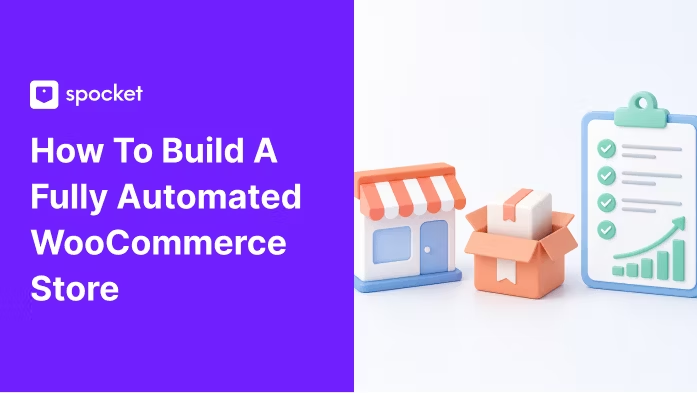


There is a version of eCommerce that most people imaginebefore they start: a store that pulls in orders, processes them, ships themout, and keeps customers happy all while you focus on the things that actuallygrow the business.
Then there is reality. Manual order entry. Spreadsheetstracking stock levels. Copy-pasting tracking numbers. Jumping between carrierdashboards. Emailing suppliers about delays.
The good news? That automated version of your store iscompletely achievable on WooCommerce. But it does not happen by accident. Itrequires building the right stack one that connects your product sourcing, yourstore platform, and your fulfilment into a single, smooth operation.
This guide breaks that down from start to finish.
Why WooCommerce Is the Right Platform for Automation
WooCommerce has a reputation for being more hands-on thanhosted platforms, but that reputation is outdated. Today, WooCommerce sitsinside a mature ecosystem of plugins, APIs, and integrations that allow it tobe as automated as any solution on the market and more flexible than most.
That flexibility is what makes it the preferred choice forserious dropshipping operators. You control your data. You own your checkoutexperience. And you can connect any tool you want including the best-in-classsourcing and fulfilment platforms without being locked into a walled garden ofapproved apps.
The key is knowing which parts of your store can and should beautomated, and then building each layer correctly.
Layer 1: Automated Product Sourcing
The first place manual work kills efficiency is productmanagement. Uploading product data by hand, updating stock levels yourself,adjusting prices as supplier costs change all of it eats time that should gointo marketing and growth.
Spocket solves this for WooCommerce store owners. Byconnecting your store directly to a curated network of verified US and EUsuppliers, Spocket allows you to:
• Import products into WooCommerce with a single click
• Sync inventory levels automatically so you are neverselling out-of-stock items
• Set profit margins at the product level and let theplatform maintain them
• Access branded invoicing for a professional, consistentcustomer experience
The result is a product catalogue that updates itself. When asupplier runs out of stock, your store reflects it. When pricing changes, yourmargins recalculate. You do not need to babysit it.
For Australian WooCommerce sellers, Spocket's emphasis onfaster shipping from US and EU suppliers also means shorter delivery windows acritical advantage when your customers have been trained by Amazon to expectspeed.
Layer 2: A WooCommerce Store Built for Performance
Automation only works if your store is set up correctly topass data between systems. A few things matter enormously here.
Choose a Clean, Well-Coded Theme
Bloated themes slow down order syncing, checkout performance,and plugin compatibility. Stick with a lean, well-maintained WooCommerce theme Storefront,Astra, or GeneratePress are reliable options. Avoid page builder themes thatadd layers of code between your data and your integrations.
Set Up a Logical Checkout Flow
Your checkout is where automation pays off most visibly forcustomers. Live shipping rate calculations, address validation, and accuratedelivery estimates all reduce cart abandonment and customer service queries.These features only work if your store is properly connected to your fulfilmentlayer which brings us to the next step.
Keep Your Plugin Stack Lean
Every plugin adds overhead. The more tools you stack, the morepotential for conflicts, slowdowns, and sync failures. Automation should reducecomplexity, not add to it. Aim for one platform that handles shipping not fiveseparate carrier plugins fighting for priority.
Layer 3: Shipping Automation Where Most Stores Leave Money on the Table
This is the layer most WooCommerce store owners get wrong.They set up good product sourcing, build a solid store, and then patch togethershipping with manual label printing, individual carrier logins, and copy-pastetracking workflows.
That approach does not scale. At twenty orders a day it ispainful. At a hundred it is impossible.
What you need is a WooCommerce shipping integration that connects directly to your store, syncs ordersin real time, compares carrier rates automatically, generates labels in bulk,and pushes tracking numbers back to your customers without you touching asingle field.
iSend is built specifically for this. Their WooCommerceintegration connects your store to over 50 carriers including Australia Post,FedEx, UPS, and Aramex through a single dashboard. Orders come in, labels goout. Tracking updates are sent to customers automatically. You are not managinglogistics. Your store is.
Specific features that matter for a fully automated setup:
• Real-time carrier ratecomparison: Customers see accurate shipping costs at checkout. Noguessing. No overcharging.
• Address validation atcheckout: Catches errors before they become failed deliveries andrefund requests.
• Bulk label generation: Processa morning's worth of orders in minutes, not hours.
• Automatic trackingupdates: Tracking numbers are pushed back to WooCommerce andcustomers are notified without manual intervention.
• High-volume performance:Built so it does not slow down your store as order volumes grow.
The setup is fast no code required and it connects directlywith your existing WooCommerce environment, including Elementor, Divi, andmultilingual stores using WPML.
Layer 4: Returns and Customer Communication
Automation does not stop at outbound shipping. Returns areanother area where manual handling creates real cost and real frustration forboth sellers and customers.
A properly automated WooCommerce store should have clear,automated returns policies surfaced at checkout and post-purchase, and areturns workflow that processes requests without you needing to manually issuelabels or chase customers for updates.
Your shipping integration plays a role here too. Platformsthat support automated returns management reduce the back-and-forth that bogsdown customer service, and free up your team to focus on acquisition ratherthan resolution.
The Australian eCommerce Context: Why Getting This Right Matters More Here
Australian eCommerce has some specific challenges that makeautomation more important, not less, than in comparable markets.
Geography is the obvious one. Delivering to metro Sydney isvery different from delivering to regional Queensland or rural WesternAustralia. Without a multi-carrier setup, you end up either overpaying formetro deliveries or offering poor options for regional customers. A smartshipping integration solves this by selecting the best carrier for eachdestination automatically.
Carrier pricing complexity is the other issue. Australiansellers deal with fuel levies, dimensional weight pricing, remote areasurcharges, and fluctuating international shipping rates. Getting eCommerce shipping best practices in Australiaright is not just about picking the cheapest carrier it is about having asystem that knows which carrier is cheapest for each specific order,automatically.
With the right automation stack in place, your WooCommercestore absorbs this complexity without passing it on to you as manualdecision-making.
Putting It All Together: The Automated WooCommerce Store
Here is what a fully automated WooCommerce store looks like inpractice:
1. A customer places an order. WooCommerce captures it.
2. Your sourcing integration (Spocket) has already syncedstock levels. No manual checking.
3. Your shipping integration pulls the orderautomatically, compares carrier rates in real time, and generates a label.
4. The label is printed or queued for pickup. The trackingnumber goes back to WooCommerce.
5. The customer receives an automated dispatch email withtracking information.
6. If there is an issue, your returns workflow handles thecommunication automatically.
You did not touch any of those steps manually. You wereworking on something that actually grows the business.
Where to Start
If you are building from scratch, start with product sourcing.Get Spocket connected to your WooCommerce store and spend time selectingproducts, setting margins, and testing the import workflow. That foundationdrives everything else.
Then layer in your shipping integration. Connect iSend to yourWooCommerce store and configure your carrier preferences, shipping zones, andlabel settings. Test a few orders end-to-end before you go live. The setup isfast, but the testing is worth it you want to know your tracking updates arefiring correctly before your customers start asking where their orders are.
Once both layers are running, the store mostly manages itself.Your job becomes traffic, products, and customer experience not logistics andlabel printing.
That is the automatedWooCommerce store. And it is closer than most sellers realise.
Start your dropshipping business today


Launch your dropshipping business now!
Start free trial


Blog correlati
Come configurare l'evasione automatizzata degli ordini con Spocket e Shopify
Configura un flusso di lavoro di dropshipping Shopify più fluido con Spocket collegando il tuo negozio, importando i prodotti, elaborando gli ordini, sincronizzando il tracciamento e riducendo le attività manuali di evasione.

Come aprire un conto bancario aziendale per il tuo negozio di dropshipping
Organizza correttamente le finanze del tuo dropshipping con un conto corrente aziendale dedicato, pensato per incassi, pagamenti ai fornitori, tasse e la crescita a lungo termine del tuo negozio.
Spocket vs Dropified: Quale strumento è migliore per la scalabilità multi-negozio?
Confronta Spocket e Dropified per dropshipping multi-negozio, qualità dei fornitori, automazione, gestione degli ordini, approvvigionamento prodotti e scalabilità su piattaforme e-commerce.
