


Mailchimp vs Klaviyo for Dropshipping Stores: Full Comparison
Compare Mailchimp vs Klaviyo. See costs, features, automations, and store fit. Pick the email tool that suits your ecommerce workflow.
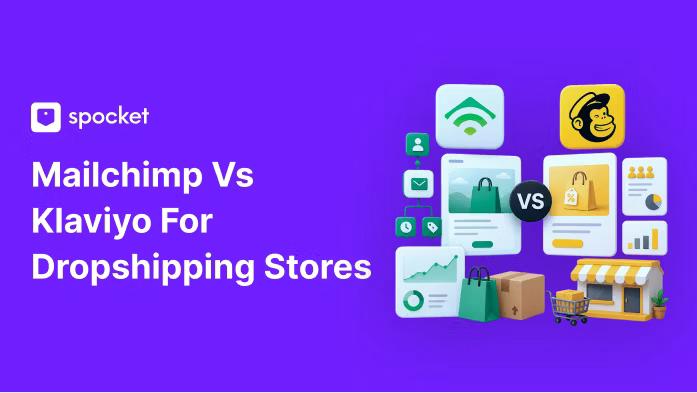

Choosing the wrong email system can make a simple store feel harder to run. You need a place to send product emails, recover abandoned carts, follow up after purchases, collect feedback, and understand which messages bring orders back.
But the better choice depends on how your store sells. Some sellers need a simple newsletter setup with fast templates. Others need customer behavior, product data, purchase history, and automations working together from day one.
This breakdown compares ease of use, templates, editors, automation, audience grouping, support, integrations, pricing, and store fit, so you can choose based on your actual needs instead of paying for features you may not use.
What Is Mailchimp?
Mailchimp is a marketing platform for businesses that need email, landing pages, surveys, ads, websites, and customer communication in one account.
For email marketing, Mailchimp’s main advantage is ease of use. Its quick actions let you import contacts, add one contact, connect an integration, set up an automation, or start an SMS campaign in a few clicks.
Mailchimp’s own help page now lists the Free Marketing plan at up to 250 contacts and 500 sends per month.
What Is Klaviyo?
Klaviyo is an email and SMS marketing platform made mainly for ecommerce businesses. The notes describe it as stronger for stores that need deep data integration, customer behavior, purchase history, automated flows, and product-based personalization.
Klaviyo’s pricing page lists a free plan with up to 250 active profiles, 500 email sends per month, and 150 mobile message credits per month. The same page says the free tier includes automations, audience grouping, reports, and drag-and-drop editors within those limits.
Mailchimp vs Klaviyo: Fast Verdict for Dropshipping Stores
The test result was clear: Klaviyo won the full match by a final score of 7 to 3. That result came from testing both tools on a real ecommerce store with Sarah, an ecommerce expert and Shopify store owner.
But Klaviyo pulled ahead in areas that matter most to product-led stores:
- Automation access: Klaviyo lets you publish flows on the free plan within account limits, while Mailchimp requires a paid plan to publish flows.
- Store data: Klaviyo uses purchase history, browsing behavior, customer lifetime value, and engagement data in deeper ways.
- Audience grouping: Klaviyo’s AI audience builder can turn a plain-language audience description into a group.
- Product content: Klaviyo offers stronger product-based personalization, including AI product recommendations on paid plans.
- Message control: Klaviyo Smart Sending can skip people who received a recent message.
Mailchimp makes sense when your store mostly needs newsletters, basic campaigns, landing pages, surveys, and simple customer updates. Klaviyo makes more sense when your store depends on abandoned cart flows, post-purchase flows, product suggestions, SMS, and buyer behavior.
Mailchimp vs Klaviyo Features for Ecommerce Stores
The feature discussion starts with how each tool treats the user. Mailchimp serves a wide mix of users: local businesses, freelancers, educators, nonprofits, service providers, bloggers, creators, and small ecommerce teams.
Klaviyo is narrower. It is made for ecommerce and DTC needs, especially when customer data shapes who receives each message.
Ease of use
Mailchimp wins the ease-of-use round. Its sidebar, quick actions, and campaign setup path make the first few minutes smoother.
In the test, Mailchimp made common tasks easy to reach: contact imports, single-contact adds, integrations, campaigns, SMS, and automation setup.
Klaviyo takes more clicks. To create an email, the test had to move through campaign naming, email selection, audience choice, subject line setup, and a less obvious email library link.
Templates and email editor
Templates were close enough to call a tie. Klaviyo offers ecommerce-focused templates for product launches, abandoned carts, seasonal sales, and store campaigns.
It also has a brand kit builder that pulls site colors, logos, and fonts. Mailchimp takes a wider path with templates across industries, events, nonprofits, education, and sales, plus a Creative Assistant that can style emails based on your website.
Both tools offer drag-and-drop editors and let you pull products from your store into emails. Mailchimp’s advantage is built-in surveys. Mailchimp documentation says survey content blocks link email readers to Mailchimp surveys, and hosted survey forms can be shared.
Klaviyo does not have the same built-in survey block in the notes, so you would need a third-party survey tool. Klaviyo wins this round because its conditional content and product recommendations go deeper for ecommerce.
Audience Grouping and Personalization: Where Store Data Matters
Audience grouping decides who gets each campaign. If you send the same email to every subscriber, you miss the difference between a new visitor, a first-time buyer, a cart abandoner, and a repeat customer.
Mailchimp uses AI to analyze customer data and recommend groups, such as people likely to buy soon. The notes say you get eight prebuilt templates unless you create your own.
Klaviyo goes further with Define with AI. You can describe the audience in plain language, such as customers who bought from one collection but have not come back. Klaviyo then creates the group for you.
Klaviyo’s help documentation says the AI audience group assistant lets you type a sentence or phrase that describes the desired audience group, then creates an audience definition that you still need to review.
Useful store groups from the notes include:
- Abandoned cart shoppers: People who added items but did not buy.
- Browse abandonment: People who viewed items but did not check out.
- Purchase history: People who bought a specific item, collection, or category.
- Engagement history: People who open, click, or ignore your campaigns.
- Customer lifetime value: People grouped by how much they have spent.
Automations and Flows for Dropshipping Stores
Automations are a must for most online stores. You will not manually send every welcome email, cart reminder, back-in-stock alert, product review request, or post-purchase follow-up.
Both tools offer templates for common ecommerce use cases:
- Welcome series: Send new subscribers a first set of emails.
- Abandoned cart reminders: Follow up when someone leaves items behind.
- Post-purchase flows: Thank buyers and send order-related follow-ups.
- Back-in-stock alerts: Notify customers when a product returns.
- Shop-specific templates: Unlock more relevant options when you connect your store.
The difference is publishing access. Mailchimp lets you design and create automation flows on the free plan, but the test found that publishing requires a paid upgrade. Klaviyo lets you publish flows on the free plan within its sending and profile limits, although the Klaviyo logo may appear in the footer.
Klaviyo also has Smart Sending. Its help documentation explains that Smart Sending can limit how many email, SMS, or push messages someone receives within a set period, which helps prevent too many messages from overlapping when several flows and campaigns are active.
Mailchimp vs Klaviyo Pricing in 2026
Pricing is not just about the monthly number. It also depends on contact counting, gated features, SMS costs, and how soon you need automation or product personalization.
The current official Mailchimp help page lists the Free Marketing plan at up to 250 contacts and 500 sends per month. It also says Essentials starts with up to 500 contacts and a monthly send limit equal to 10 times the contact limit, Standard starts with up to 500 contacts and a 12-times send limit, and Premium starts with 10,000 contacts and a 15-times send limit.
Klaviyo’s official pricing page lists the free plan at up to 250 active profiles, 500 email sends per month, and 150 mobile message credits per month. It also says support on the free plan includes email support for the first 60 days, then self-serve resources such as community, training, and help documentation.
Klaviyo counts a contact once, while Mailchimp can count the same person more than once if they appear in multiple audiences. The notes also warn that Mailchimp can charge for unsubscribed contacts unless they are deleted.
That is why the pricing can look different once your list grows. A tool that seems cheaper at the start can cost more if duplicate contacts, unsubscribed contacts, or higher-tier feature gates affect your account.
Klaviyo vs Mailchimp: Integrations and Store Fit
A Klaviyo vs Mailchimp comparison becomes clearer when you look at integrations. Klaviyo connects deeply with ecommerce tools, while Mailchimp fits a broader business stack.
For dropshipping, the integration question starts with how products, orders, and customers move between tools. If you use Spocket to source products, your email system still needs clean store data from the ecommerce platform where customers buy.
Spocket also gives sellers room to test trending dropshipping products, offer Print-on-demand, and work with suppliers where Spocket has no MOQs. Spocket connects with store builders and marketplaces including Wix, WooCommerce, eBay, and BigCommerce. If your store runs outside Shopify, test the exact Mailchimp and Klaviyo connection before you commit.
Klaviyo also has a close Shopify relationship. Klaviyo and Shopify announced a strategic partnership in which Klaviyo became the recommended email solution partner for Shopify Plus, and Shopify made an investment in Klaviyo.
Analytics, Reviews, and Support
Mailchimp’s analytics track basic email numbers such as opens, clicks, and orders. The notes say more advanced reporting, such as campaign comparisons, is locked behind paid plans.
Klaviyo offers analytics for conversions, revenue, and customer engagement, but the test notes say the dashboard is less intuitive.
Support was a clear Klaviyo win in the test. Both support teams replied within a few hours, but Mailchimp’s answer quality felt weak, and the help bot struggled with the request. Klaviyo’s answers were not perfect, but they showed more ecommerce knowledge.
Klaviyo also supports product reviews for Shopify users. Its Shopify App Store listing says Klaviyo Reviews is free for up to 50 orders per month and includes review requests through email and SMS, custom questions, coupons, and review imports.
Mailchimp vs Klaviyo Comparison by Store Type
A store-type comparison is easier than a feature-count comparison. Both tools can send email campaigns, create templates, and handle basic automation, but they are not aimed at the same user.
Choose Klaviyo if your store fits these points:
- Shopify store: You want a tool that fits closely with Shopify data and store events.
- DTC brand: You rely on customer behavior, product interest, and purchase history.
- Growing ecommerce startup: You plan to use automations, audience grouping, email, and SMS together.
- Product-heavy store: You need abandoned cart, browse abandonment, product recommendations, and review requests.
- Data-heavy marketing: You want to group customers by customer lifetime value, orders, engagement, and behavior.
Choose Mailchimp if your business fits these points:
- Local business: You need simple newsletters and customer updates.
- Freelancer or blogger: You need a fast setup, basic audience management, and broad templates.
- Nonprofit or educator: You need campaigns for events, updates, and general communication.
- Simple online store: You do not need advanced buyer behavior or store-specific flows yet.
- Budget-limited beginner: You want a familiar interface before you pay for deeper automation.
Top Mistakes to Avoid
Here are the top mistakes to avoid when picking between Mailchimp vs Klaviyo:
- Choosing by starting price only: The cheaper entry point may not stay cheaper once contact counting, unsubscribed contacts, SMS, and paid feature gates come into play.
- Ignoring duplicate contacts: The notes flag Mailchimp’s duplicate audience counting as a cost risk, so clean your contact setup before your list grows.
- Sending one campaign to everyone: A new subscriber, cart abandoner, repeat buyer, and inactive customer need different messages.
- Skipping store integration checks: If product, order, and customer events do not sync cleanly, automation quality drops.
- Overlooking support quality: The test found a noticeable gap in support depth, with Klaviyo giving better ecommerce answers.
Mailchimp vs Klaviyo Review: Pros, Cons, and Final Fit
Klaviyo’s strengths are ecommerce depth, AI audience grouping, free-plan flow publishing within limits, Smart Sending, and Shopify review requests. Its weak points are dashboard friction, a learning curve, paid access for some advanced features, limited free-plan support after 60 days, and a less natural fit for non-ecommerce businesses.
Mailchimp’s strengths are a cleaner interface, quick actions, broad templates, Creative Assistant, built-in surveys, and a faster start for basic campaigns. Its weak points are feature gates, contact billing concerns, weaker ecommerce targeting, automation limits on the free plan, and support that felt less helpful in the test.
The Klaviyo vs Mailchimp review from the notes lands on the same answer: Klaviyo is stronger for ecommerce and scaling, while Mailchimp is easier for basic email and broad business use.
Which One Should You Choose?
Use Klaviyo if your store is ecommerce-first, product-heavy, and driven by flows. It is the better fit when you need abandoned cart emails, browse abandonment, post-purchase follow-ups, review requests, product recommendations, SMS, and audience grouping tied to purchase behavior.
Use Mailchimp if your needs are simpler. It can handle newsletters, basic customer communication, surveys, landing pages, websites, broad templates, and general campaigns with less setup friction.
If you run a dropshipping store, start by listing the automations you need. If the list includes cart recovery, browse abandonment, post-purchase education, review requests, product-based recommendations, and SMS, Klaviyo is the stronger pick. If your list mostly includes newsletters and simple updates, Mailchimp may be enough.
Conclusion
Your email system should match how your store sells, not just the plan that looks cheaper at signup. A simple business can do well with clean templates, newsletters, and basic audience tools, while a product-led store needs customer behavior, order history, automation, and message timing to work together.
Choose the option that fits your next stage. When your campaigns match your store data and your daily workflow, every email becomes easier to plan, send, and measure without adding extra manual work.
Start your dropshipping business today
Mailchimp vs Klaviyo Review FAQs
Is Klaviyo better than Mailchimp for dropshipping stores?
Klaviyo is usually the better fit for dropshipping stores that need product data, cart recovery, browse abandonment, post-purchase flows, review requests, and behavior-based customer groups. Mailchimp still makes sense for simpler newsletters, broad templates, surveys, and general updates. Your choice depends on how much your store depends on automation and buyer behavior. It also depends on how often customers return to buy again.
Is Mailchimp easier to use than Klaviyo?
Yes, Mailchimp felt easier in the test. Its interface looked cleaner, and the quick actions made common tasks easier to reach. Klaviyo took more clicks to create a campaign, and some buttons felt harder to spot. Once inside the email editor, Klaviyo felt much smoother than its dashboard. That matters if you need to launch a simple campaign without much setup.
Which tool has better automation for ecommerce?
Klaviyo has the stronger ecommerce automation setup in the notes because it lets you publish flows on the free plan within account limits and includes Smart Sending. Mailchimp can create automation flows, but publishing from the free plan requires an upgrade. Both offer common flow templates such as welcome, abandoned cart, post-purchase, and back-in-stock alerts. For stores, that difference affects how soon flows can start working.
How are the pricing models different?
Klaviyo vs Mailchimp pricing differs because the tools count and gate features in different ways. Klaviyo counts a contact once in the notes, while Mailchimp can count duplicate contacts across audiences and charge for unsubscribed contacts unless removed. Both tools also limit certain features by plan, so the real cost depends on your list and workflow. Check list cleanup and plan gates before you judge the price.


Launch your dropshipping business now!
Start free trial.avif)


Related blogs
Dropshipping Supplier Directory: Where to Find Vetted Suppliers
Browse our directory of vetted dropshipping suppliers across the US and EU, complete with niches, shipping speed, and pricing. Start your free trial today.


How to Negotiate With Dropshipping Suppliers: 9 Tactics That Actually Work
Learn how to negotiate with dropshipping suppliers on price, MOQs, and payment terms. Proven tactics and email scripts to boost your margins. Try Spocket free.

Best Clothing Dropshipping Suppliers: The 2026 Guide
Compare the best clothing dropshipping suppliers for 2026 — US/EU shipping speeds, pricing, and product quality — and find the right fit to launch your store.
